
Book Tracker is ready for Apple’s OS 27, with your books in Spotlight, a much wider set of Siri and Shortcuts actions, a written recap of your reading year, and an import that has been rebuilt from scratch. Available now in Book Tracker 4.7.
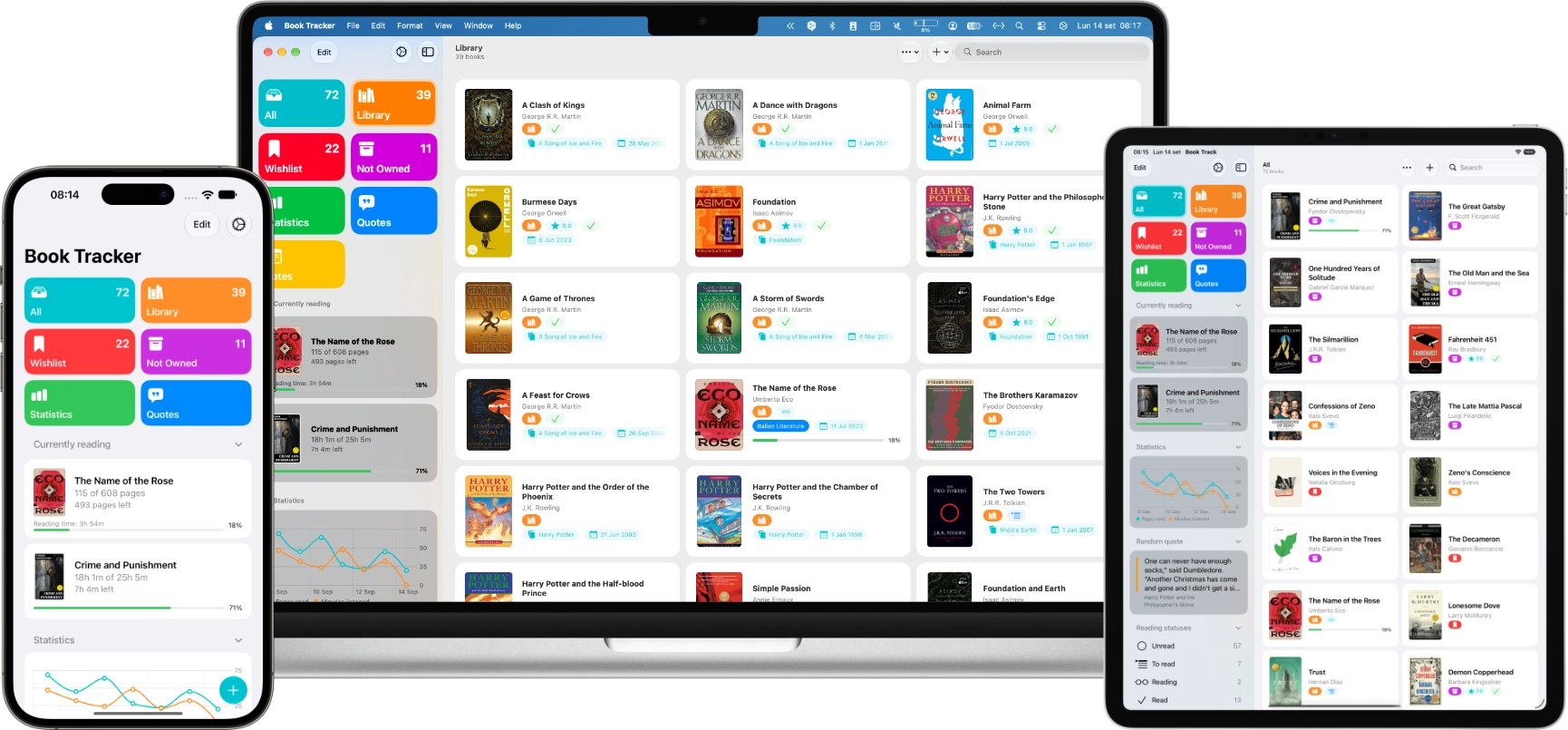
Siri and Shortcuts
Book Tracker has worked with Shortcuts for years, but this update is the widest expansion it has had. There are actions for most of what you do in the app, and you can pull your own content out as an image, a PDF or rich text: quotes, notes, ratings, progress milestones, reading status, and the yearly recap.
The part I like most is that Siri and Shortcuts now understand what is on screen. While you are looking at a book, a quote, a note or a goal, you can act on it without naming it. Open a book you are halfway through, ask Siri to update your progress, and it knows which book you mean.
To see everything that is available, open the Shortcuts app and look for Book Tracker in the app list. In your first few spoken requests it helps to say “in Book Tracker”, so the system does not send them somewhere else.
One thing to be aware of: Apple has released the new Siri as a beta, and it is not available on iPhone and iPad in the European Union or in China at launch. Book Tracker’s actions themselves work everywhere, in Shortcuts and in automations, but if you are in one of those regions the conversational part of this is not something you can try yet. That is Apple’s timeline, not mine, and the details are on Apple’s website.
Spotlight
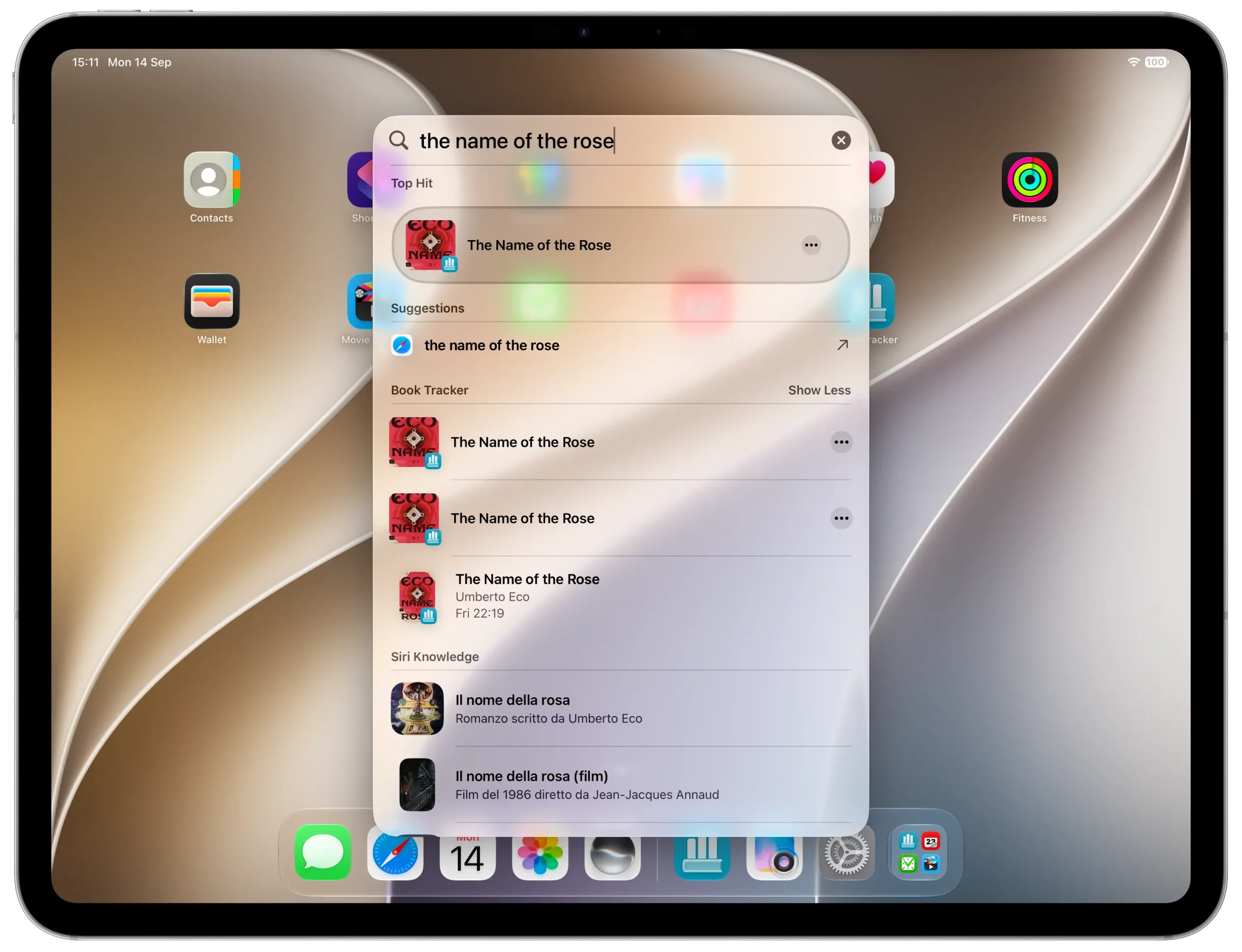
Your books are now indexed in Spotlight. Swipe down on the Home Screen, or press Command Space on the Mac, type part of a title, and open it straight in Book Tracker.
One thing worth knowing: which results appear is decided by the operating system, not by Book Tracker. I hand over the index, and from there it is out of my hands.
Your reading year, in words
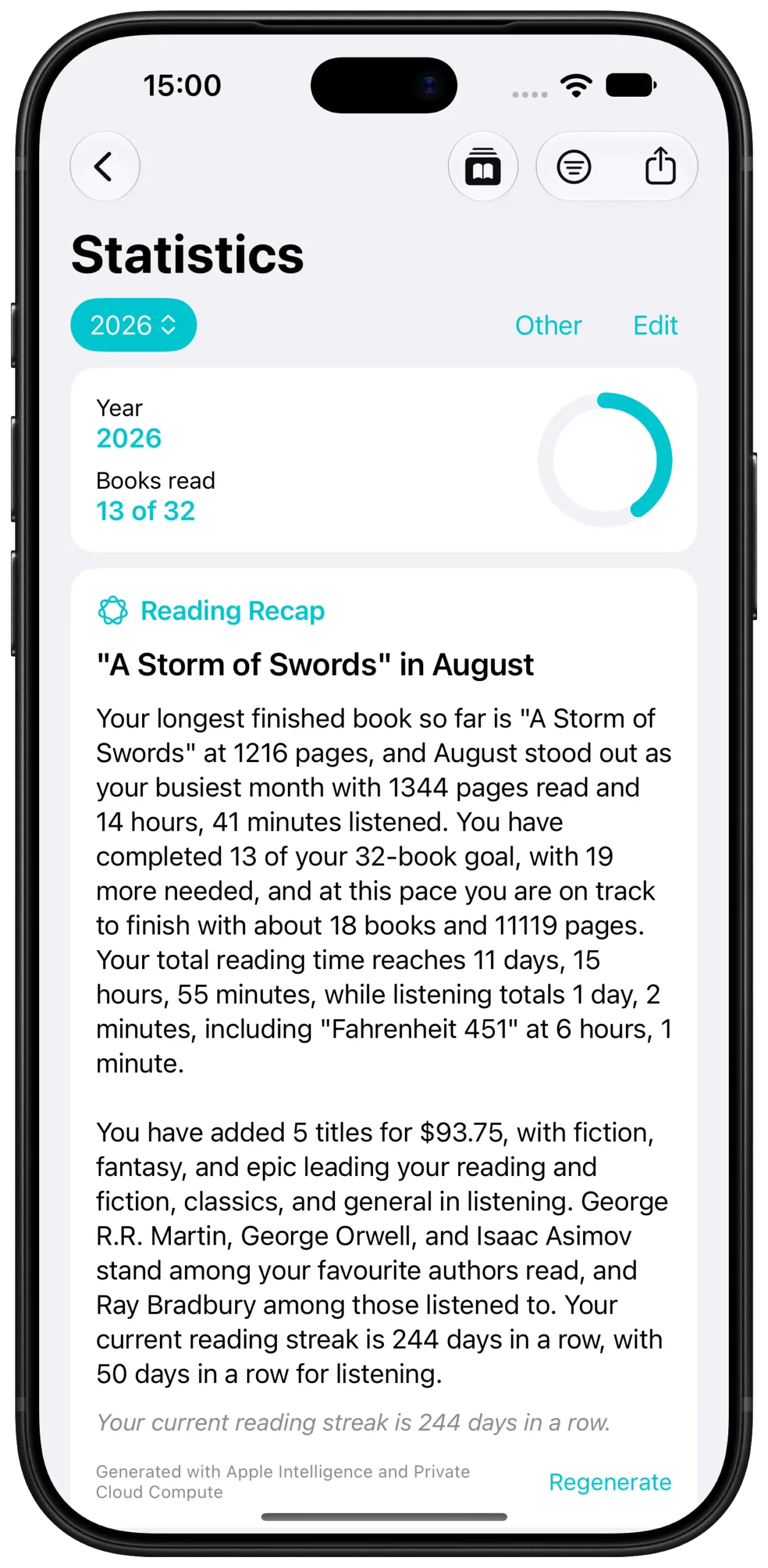
Open Statistics and you can now generate a written summary of your reading year. Not a chart and not a badge, a few paragraphs about what you actually read.
It is created with Apple Intelligence, using Private Cloud Compute. The data sent for processing is never stored, is never used to train a model, and cannot be read by Apple. The server code is published so that independent researchers can inspect it, and I never see any of it at any point.
It runs only when you ask for it. Nothing happens in the background.
If you would rather the app did not do this at all, open Settings and turn off Apple Intelligence features. One switch covers every one of them, and it only appears on devices that support Apple Intelligence.
Tag and genre suggestions
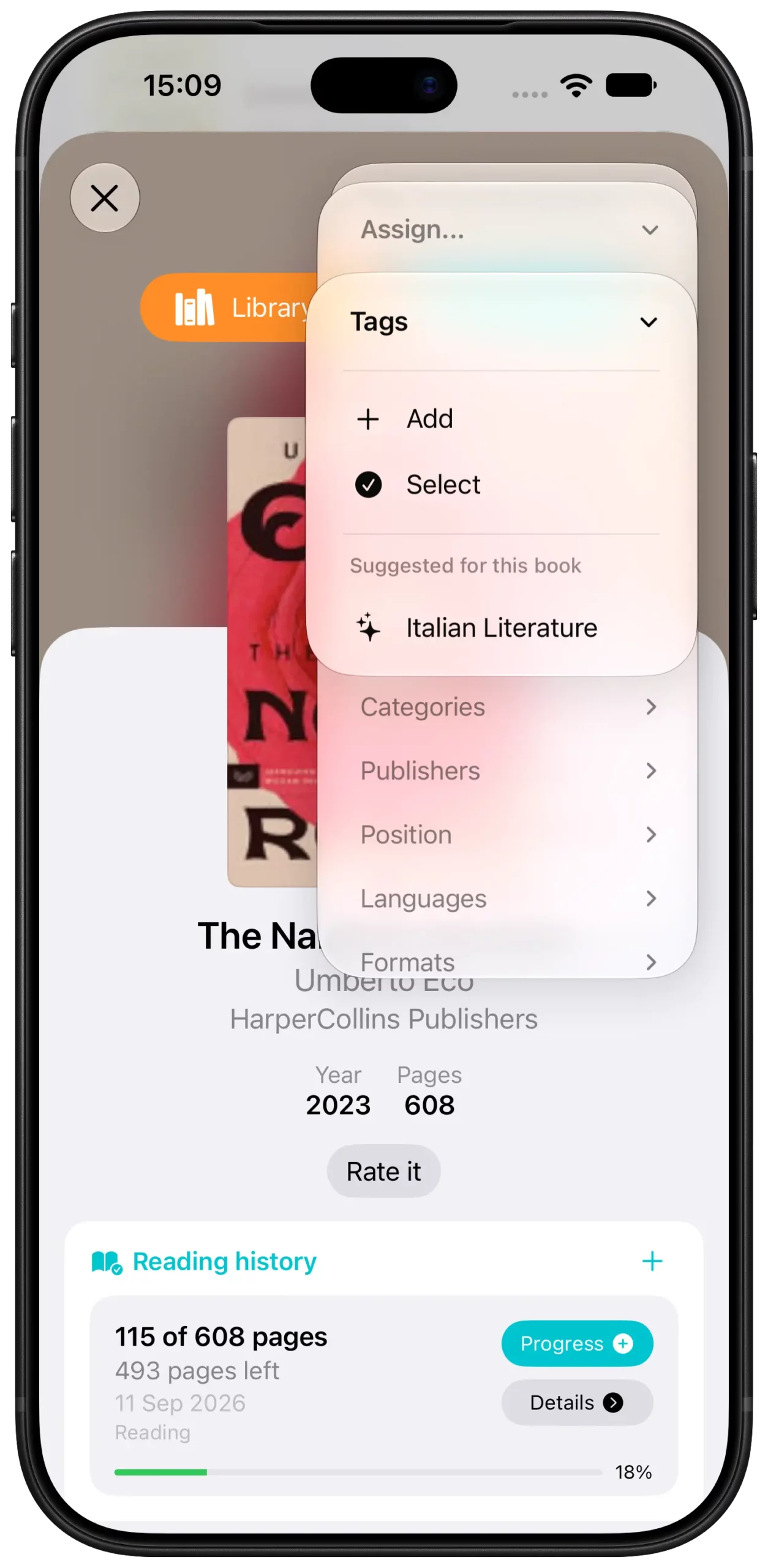
When you tag a book or assign a category, Book Tracker can suggest the ones you already use that suit it, based on the title and description. Open a book, tap to add a tag, and the suggestions appear above your own list.
They are only ever suggestions. Nothing is applied on its own, and the app will not invent a tag you have never used.
A better reading session
The reading session Live Activity has been rebuilt. The timer stays readable through long sessions instead of getting clipped, the cover is displayed correctly, and the expanded view has been redesigned. StandBy is supported, and the Dynamic Island now works in landscape.
Best of all, you can pause and resume a session straight from the Live Activity, without opening the app.
Pick up where you left off
The book you are currently reading can now appear in the widget Smart Stack and in system suggestions, so getting back to it takes one tap. Add the Book Tracker widget to your Home Screen and the system will bring it forward around the times you usually read.
As with Spotlight, when and whether this happens is up to the system, and it takes a while to learn your habits. Do not expect it on the first day.
Import, rebuilt from scratch
If you are moving a library over from another app, this is the part that changed most.
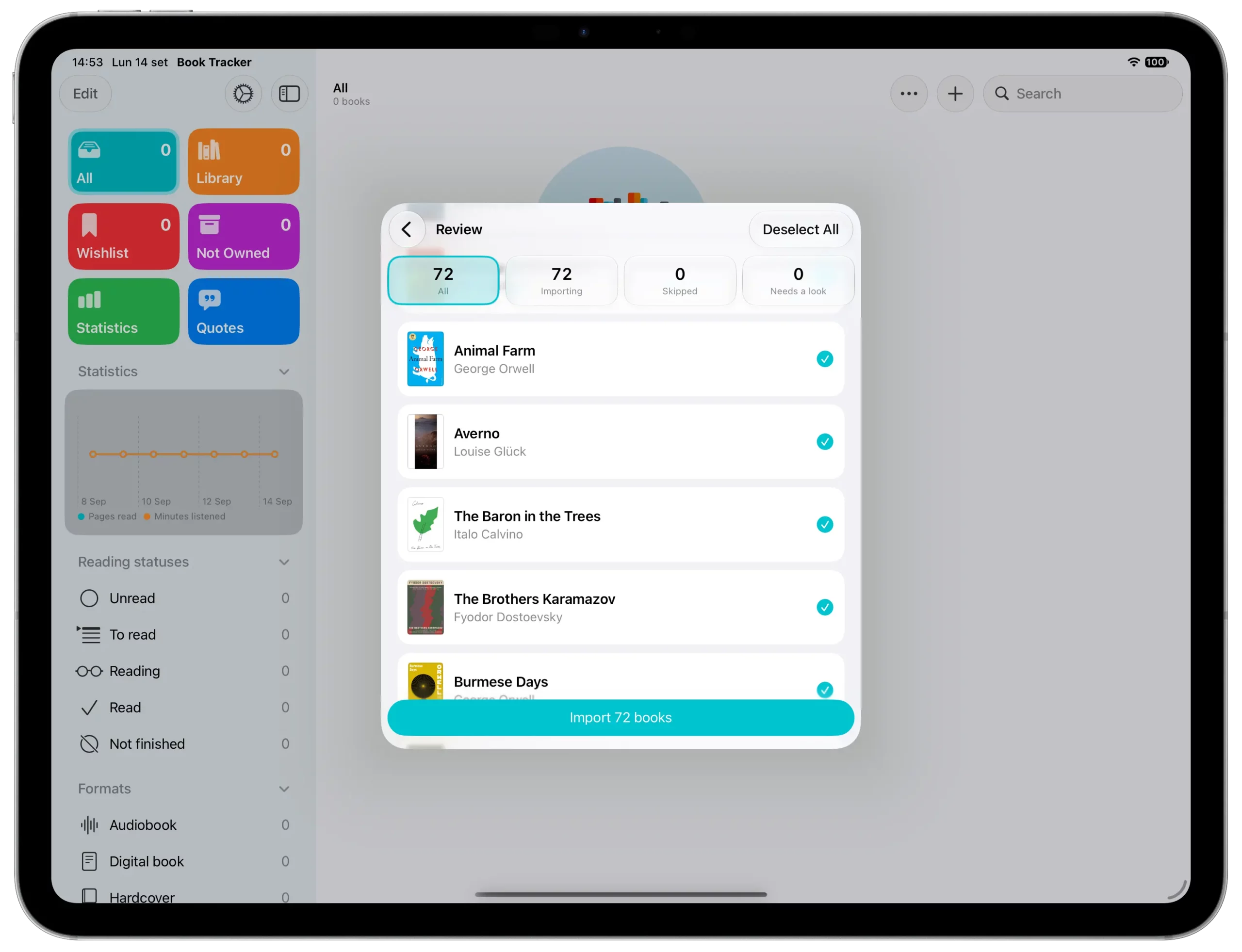
Export a file from your old app, then open Settings and choose Import. Book Tracker works out which app wrote the file and what is inside it. If it does not recognize the format, you tell it which column holds what, and it fills in most of that for you.
Then, before a single book is written to your library, you see the whole thing row by row: what is coming in, what looks like a book you already have, and what stays out. Nothing is added or overwritten without showing you first.
When a book already exists in your library, you choose whether to fill in only the missing details or let the file replace what you had written. You can decide for every row at once, or change your mind on a single row.
At the end you get a summary to keep. Any rows that could not be imported come back as a file with your own columns plus one explaining why, so you can fix those and import just them.
Export to PDF
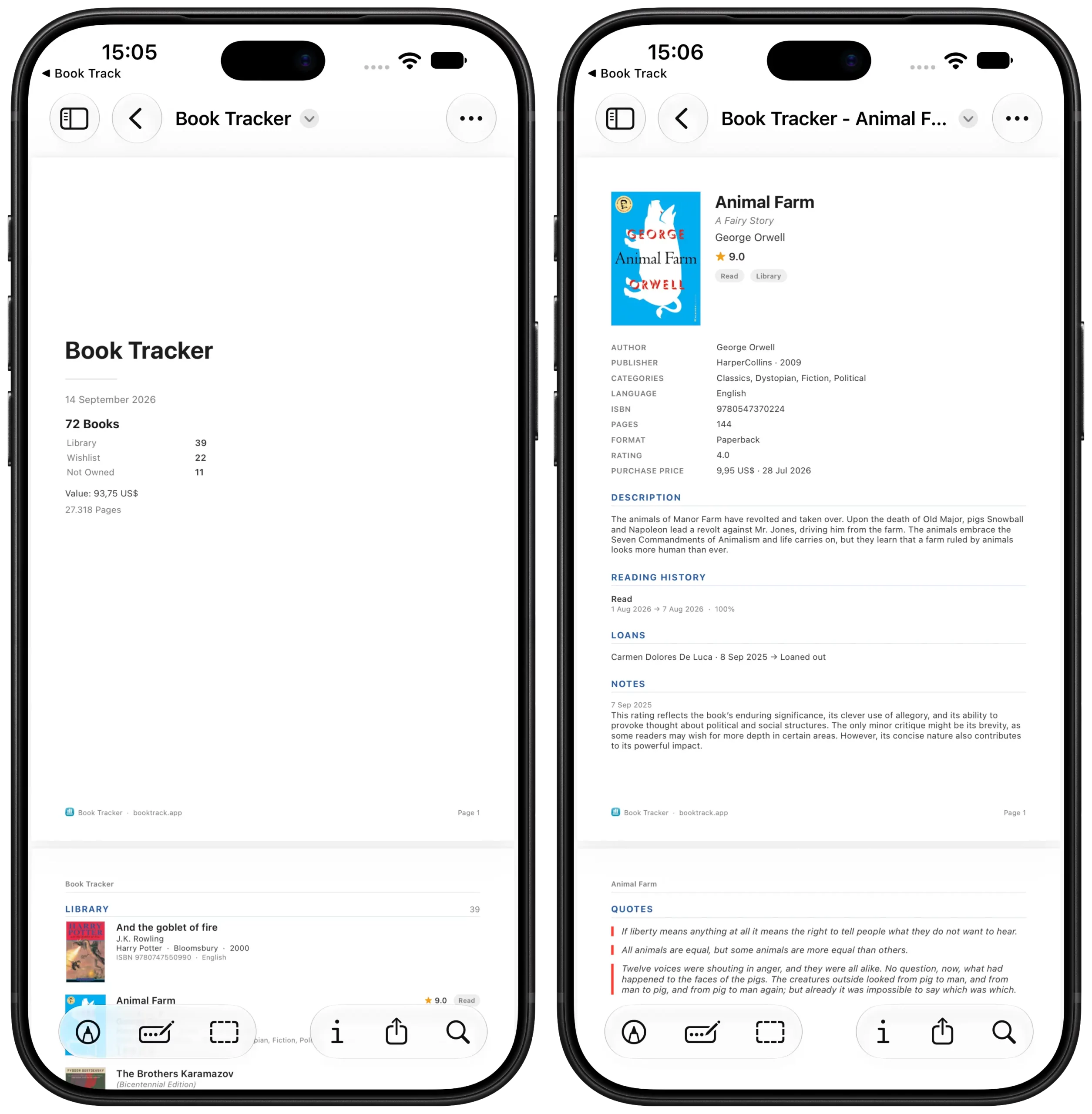
Your library can now leave the app as a document. For the whole thing, open Settings and choose Export. For a single book, open its detail page and choose Export from the menu at the top right. Quotes and notes can be exported the same way.
And more
- A more forgiving search. Searching your library now ignores capitals, accents and punctuation, so part of a title is enough to find a book.
- Better title sorting. Alphabetical order is more consistent and ignores capitals and accents. You can also choose to skip leading articles, so The Great Gatsby files under G.
- Repair search and sorting. If anything ever looks out of place, a new option in Settings rebuilds the data used to search and sort.
- Interface refinements. Small adjustments throughout the app. Nothing works differently, it just sits a little better.
Get it now
Book Tracker 4.7 is available today as a free update on the App Store for iPhone, iPad and Mac.

Start tracking your library today.