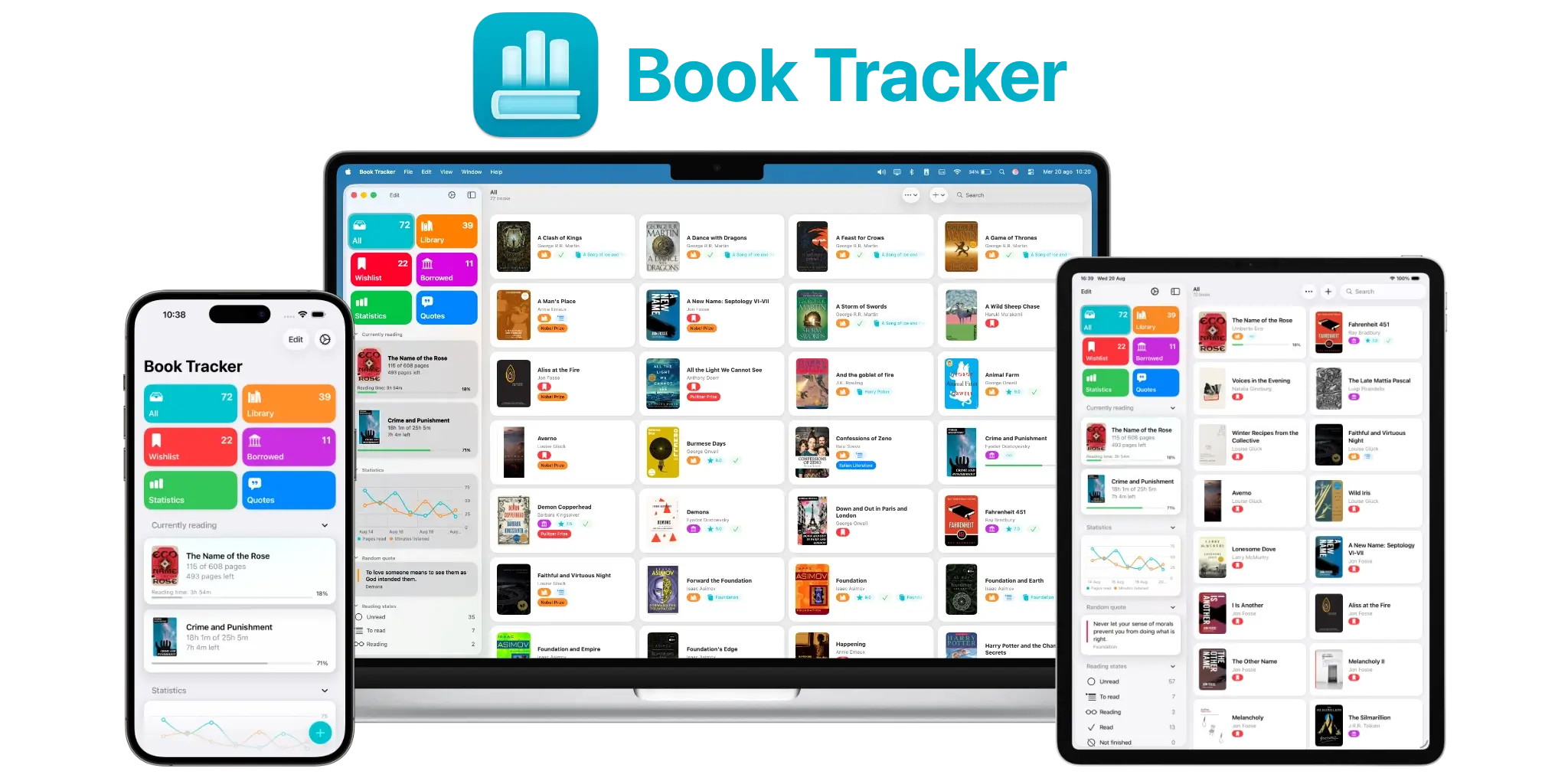
Download the full press kit, with screenshots, app icons and artwork, from this link.
For interviews, review copies or any other request, write to [email protected]. I answer every email personally.
Fact sheet
| Name | Book Tracker |
| Developer | Simone Montalto, independent developer, Rome, Italy |
| First released | 2019 |
| Current version | 4.7, released September 2026 |
| Platforms | iPhone, iPad, Mac, Apple Watch |
| Requirements | iOS 15, iPadOS 15, macOS 12, watchOS 10 |
| Price | Free to download, with a one time purchase to unlock the full version. One purchase per platform, no subscription, ever. Prices are adjusted by country. |
| Languages | 22 |
| Category | Books, Productivity |
| App Store | https://apps.apple.com/app/id1491660771 |
| Mac App Store | https://apps.apple.com/app/mac/id1496543317 |
| Website | https://booktrack.app |
| Privacy policy | https://booktrack.app/privacy/ |
| Manifesto | https://booktrack.app/the-book-tracker-manifesto/ |
| Press contact | [email protected] |
About Book Tracker
Short version, one line.
Book Tracker is a privacy focused reading tracker for iPhone, iPad, Mac and Apple Watch, built by a single independent developer since 2019.
Short version, one paragraph.
Book Tracker helps you catalog your library, track what you are reading, and keep the quotes and notes that matter to you. It has been on the App Store since 2019, developed by one independent developer, and it has shipped alongside seven consecutive versions of iOS. Your data stays on your device and in your own iCloud account. There is no account to create, no tracking, no advertising, and no subscription.
Long version.
Book Tracker is a reading companion for people who want their library organized without handing it over to anyone. You can catalog books in a wide range of formats, follow your reading progress, capture quotes with the camera, write notes, set goals, and see detailed statistics about how you read.
Everything syncs across iPhone, iPad, Mac and Apple Watch through your own iCloud account, encrypted. There are no servers holding your library, no profiles built about you, no advertising identifiers and no third party analytics. There is nothing to sign up for.
The app is a one time purchase per platform. Someone who bought Book Tracker in 2019 has paid nothing since and is running the current version today.
It also deliberately leaves out the mechanics that reading apps often rely on to keep people coming back. There are no streaks, no badges for reading faster, and no notifications asking where you have been.
What is new in Book Tracker 4.7
Released alongside iOS 27, iPadOS 27, watchOS 27 and macOS 27.
Reading year recap. Statistics can generate a written summary of your reading year, created with Apple Intelligence.
Tag and genre suggestions. When you tag a book, the app can suggest the ones you already use that fit, based on title and description. Suggestions are never applied on their own.
A single switch for Apple Intelligence. Settings includes one switch that turns every Apple Intelligence feature in the app on or off.
Import, rewritten from scratch. Choose the file another app gave you and Book Tracker works out which app wrote it and what is inside. If the format is unfamiliar, you map the columns and the app fills in most of that for you. Before anything is written you see, row by row, what will happen: what is coming in, what looks like a book you already have, and what stays out. Rows that could not be imported come back as a file with your own columns plus one explaining why.
Updating books you already have. When a book in your file is already in your library, you choose whether to fill in only what is missing or let the file replace what you had written, for every row at once or one row at a time.
Export to PDF. Export a single book, your entire library, your quotes, or your notes as a PDF, at any time.
Expanded Siri and Shortcuts. A large set of actions for Siri and Shortcuts, including on screen awareness: you can act on the book, quote, note or goal you are currently viewing. Quotes, notes, ratings, progress milestones, reading status and the yearly recap can be pulled out as an image, a PDF or rich text.
Spotlight search. Your books appear in system Spotlight search and open straight into the app.
Suggestions to pick a book back up. The book you are reading can appear in the widget Smart Stack and in system suggestions.
Rebuilt reading session Live Activity. The timer stays readable in long sessions and is no longer clipped, the cover renders correctly, StandBy is supported, the Dynamic Island works in landscape, and the expanded view has been redesigned. Pause and resume without opening the app.
More forgiving library search. Search now ignores case, accents and punctuation.
Improved title sorting. Alphabetical order ignores case and accents, and you can choose to skip leading articles. A new Repair search and sorting option in Settings rebuilds the underlying data if anything looks out of place.
On Apple Intelligence and privacy
Book Tracker shipped no AI features for three years, until Apple’s approach made it possible to add them without breaking the commitment the app has made since 2019.
Tag and genre suggestions run entirely on device.
The reading year recap uses Private Cloud Compute, because generating it requires a model too large to run on an iPhone. On Private Cloud Compute the data sent for processing is never stored, is never used to train a model, and cannot be read by Apple. The server code is published for independent researchers to inspect. The developer has no access to any of it at any point.
Every Apple Intelligence feature in the app can be turned off with a single switch in Settings.
Everything else in Book Tracker stays on the device and in the user’s own iCloud account.
Technologies used
- iCloud to sync the library across devices, through the user’s own account
- Apple Intelligence, on device for tag and genre suggestions, and through Private Cloud Compute for the yearly recap
- App Intents for a full set of Siri and Shortcuts actions, including on screen awareness
- Spotlight indexing, so books are searchable system wide
- Live Activities, with StandBy support and interactive pause and resume
- Lock Screen, Home Screen and Control Widgets, plus Smart Stack suggestions
- VisionKit OCR to capture quotes from a physical book with the camera
- Shared with You for links shared in Messages
- Menu bar support on iPad and Mac
- PDF export for a book, the library, quotes or notes
Quotes you can use
Attributable to Simone Montalto, developer of Book Tracker.
“Every line of Book Tracker was written by a person who knows what it does. That sentence would have been meaningless in 2019. It is not meaningless now.”
“I shipped no AI features for three years, not because the technology is worthless, but because none of the available ways of doing it kept the promise I made about where your data lives.”
“A subscription would earn me more money. It would also change my relationship with the people using the app. An app you rent has to keep justifying the rent every month, and that pressure is where notifications and streaks come from.”
“You should be able to walk out of here with your reading history whenever you like, without asking me for permission. An app that is hard to leave is not loyal, it is locked.”
About the developer
Simone Montalto is an independent developer based in Rome, Italy. He has been building apps for Apple platforms since 2019 and maintains Book Tracker alongside Movie Tracker, Music Tracker, Game Tracker, Habit Tracker and Countdown Widget. He answers every support email personally.
What is in the press kit
Anything in the press kit can be used freely in coverage of the app. If you need a specific screenshot, a different language, or a short screen recording, write to [email protected] and I will make it.