The “Reading Slump.” Every reader knows the feeling. You have a stack of books waiting for you, but nothing looks appealing. You pick up a book, read two pages, and put it down. You scroll through social media instead of reading. Suddenly, weeks have gone by, and you haven’t finished a single chapter.
A reading slump isn’t laziness; usually, it’s a case of decision fatigue. When you have too many options, your brain freezes. Your “To Be Read” (TBR) list stops looking like a menu of exciting adventures and starts looking like a “Tower of Shame.”
The good news? You can use your digital library in Book Tracker to hack your brain and get back into the flow. Here are 5 strategies to break the slump.
Looking for more ways to break out of a reading slump? This guide focuses on rescuing your reading life through your TBR list. For a different angle (fifteen specific book recommendations chosen to pull you back into reading) see also our companion piece: 15 Books to Help You Escape a Reading Slump.
1. The “Quick Win” Strategy (Filter by Page Count)
When you are in a slump, the idea of starting a 600-page fantasy epic feels exhausting. You need a win. You need that dopamine hit of finishing something.
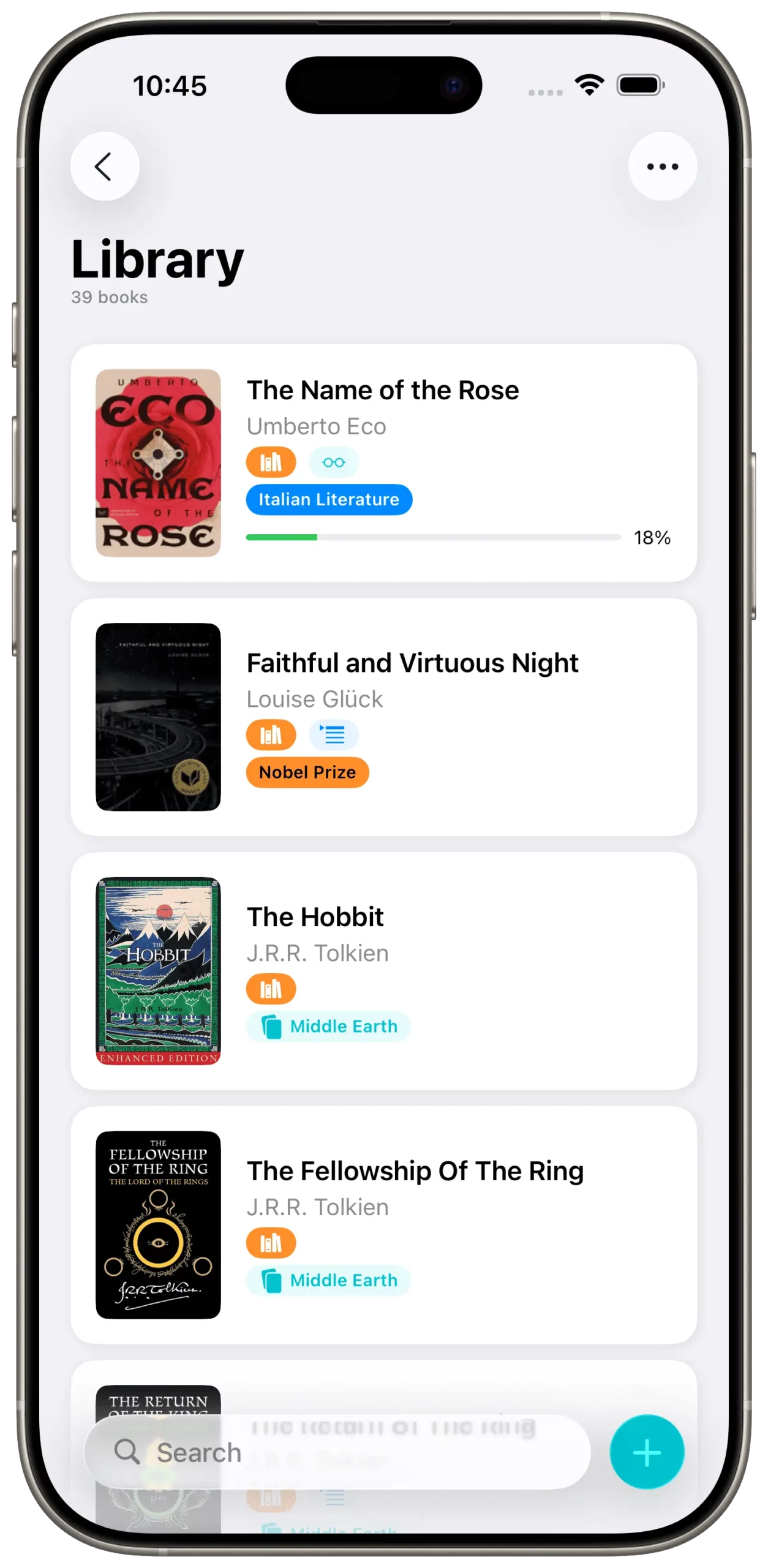
The Fix: Open your Book Tracker app and go to your library. Use the Sort/Filter feature to organize books by Page Count: Low to High. Pick a book that is under 200 pages. Maybe it’s a novella, a graphic novel, or a poetry collection. By choosing something short, you lower the barrier to entry. Finishing a short book in one or two sittings reminds your brain that you are a reader and often gives you the momentum to tackle a bigger book next.
2. The “Genre Pivot” (Filter by Category)
Sometimes a slump happens because you are trying to force a genre you aren’t in the mood for. Maybe you’ve read three Thrillers in a row, and now you’re burnt out on mysteries, but you keep trying to pick up another one because it’s “next on the list.”
The Fix: Listen to your mood, not your schedule. Use the Filter by Genre feature in the app. If you’ve been reading heavy non-fiction, filter for “Romance” or “Sci-Fi.” Find something completely different from your last read. A “palate cleanser” book is often the best cure for a slump.
3. The “KonMari” Cleanse (Delete Without Guilt)
Here is a hard truth: You might be in a slump because your library is full of books you don’t actually want to read anymore. Maybe you added a classic novel three years ago because you thought you should read it. Every time you look at your list, your eyes glaze over it, blocking you from seeing the books you actually like.
The Fix: Scroll through your digital library in Book Tracker. Look at each cover. If a book doesn’t spark excitement immediately, delete it. Because it’s a digital list, there is no physical waste. Pruning your list relieves the subconscious pressure. A smaller, highly curated list is much more inviting than a massive, cluttered one.
4. Curate Your “To Read” List (Keep It Exclusive)
Staring at a generic list of 300 unread books causes analysis paralysis. You spend 20 minutes scrolling to find a book, get tired, and watch Netflix instead.
The Fix: Book Tracker automatically generates a dedicated “To Read” list for any book you mark with that status. The trick is to treat this list like a VIP club, not a storage unit. Don’t mark every single book you own as “To Read.” Keep the majority in your general library or Wishlist, and only mark the top 5 or 10 books you genuinely want to read next as “To Read.” Now, when you open that specific tab in the app, you aren’t overwhelmed by hundreds of choices. You see a curated, manageable selection. Making a choice becomes instant, removing the friction between you and your next story.
5. Judge by the Cover (Visual Browsing)
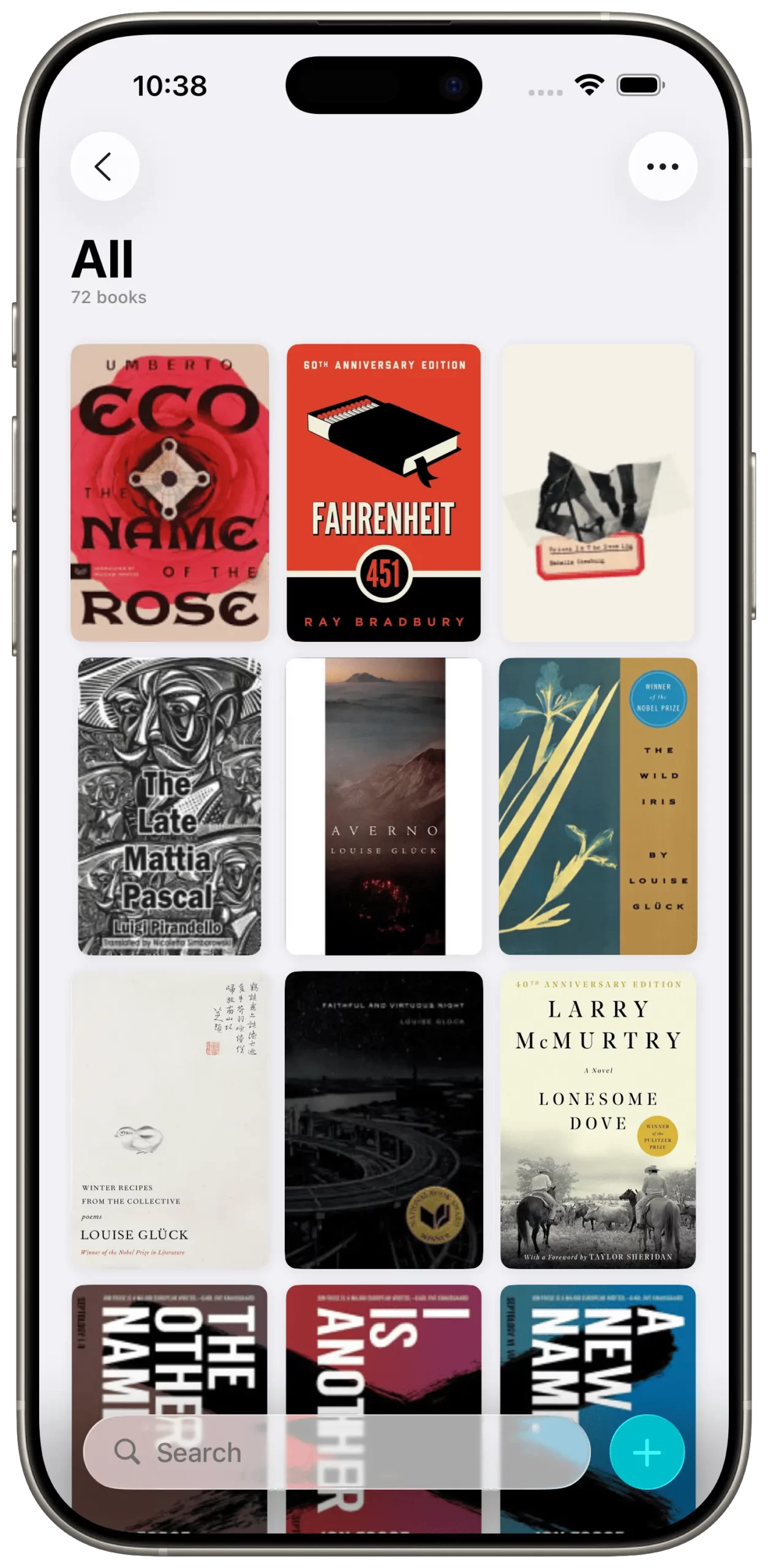
Spreadsheets are boring. Text lists are dry. We are visual creatures. Sometimes, the text title of a book doesn’t trigger any emotion, but the artwork does.
The Fix: Ensure you are using the Grid View (covers only) in Book Tracker, not the list view. Scroll through the artwork. Let the colors and designs grab your attention. Maybe a bright yellow cover catches your eye because it matches the sunny weather outside. Digital apps allow you to see your library as a beautiful gallery. Use that to reignite your excitement.
Summary
A reading slump is usually a sign that reading has become a “chore” rather than a hobby. By using the sorting, filtering, and status tools in Book Tracker, you can cut through the noise and find the one book that will make you fall in love with reading all over again.
Go open your app, sort by “Shortest First,” and get that quick win.
Related reading on Book Tracker:
- 15 Books to Help You Escape a Reading Slump — fifteen specific titles chosen to break the spell.
- Mastering Your TBR List: The Only Guide You Need for a Clutter-Free Reading Life — the complete TBR management methodology with tags, Smart Lists, and ISBN scanner.
- How to Start Reading Again After a Long Break — for when the slump has lasted weeks or months.

Start tracking your library today.