Every dedicated reader knows the feeling: the TBR list (To Be Read list) constantly growing, becoming less a list of intentions and more a source of stress. Whether it’s an imposing physical TBR pile next to your bed or an overwhelming digital list scattered across various apps, managing your “unreads” is the key to enjoying your reading journey.
A chaotic TBR list leads to decision fatigue and stalled reading goals. The solution isn’t reading faster; it’s TBR list management.
This guide will show you how to use Book Tracker to conquer your disorganized pile, prioritize your next reads, and turn your TBR list into an achievable reading plan.
1. The Digital Foundation: Building Your Ultimate Book Catalog
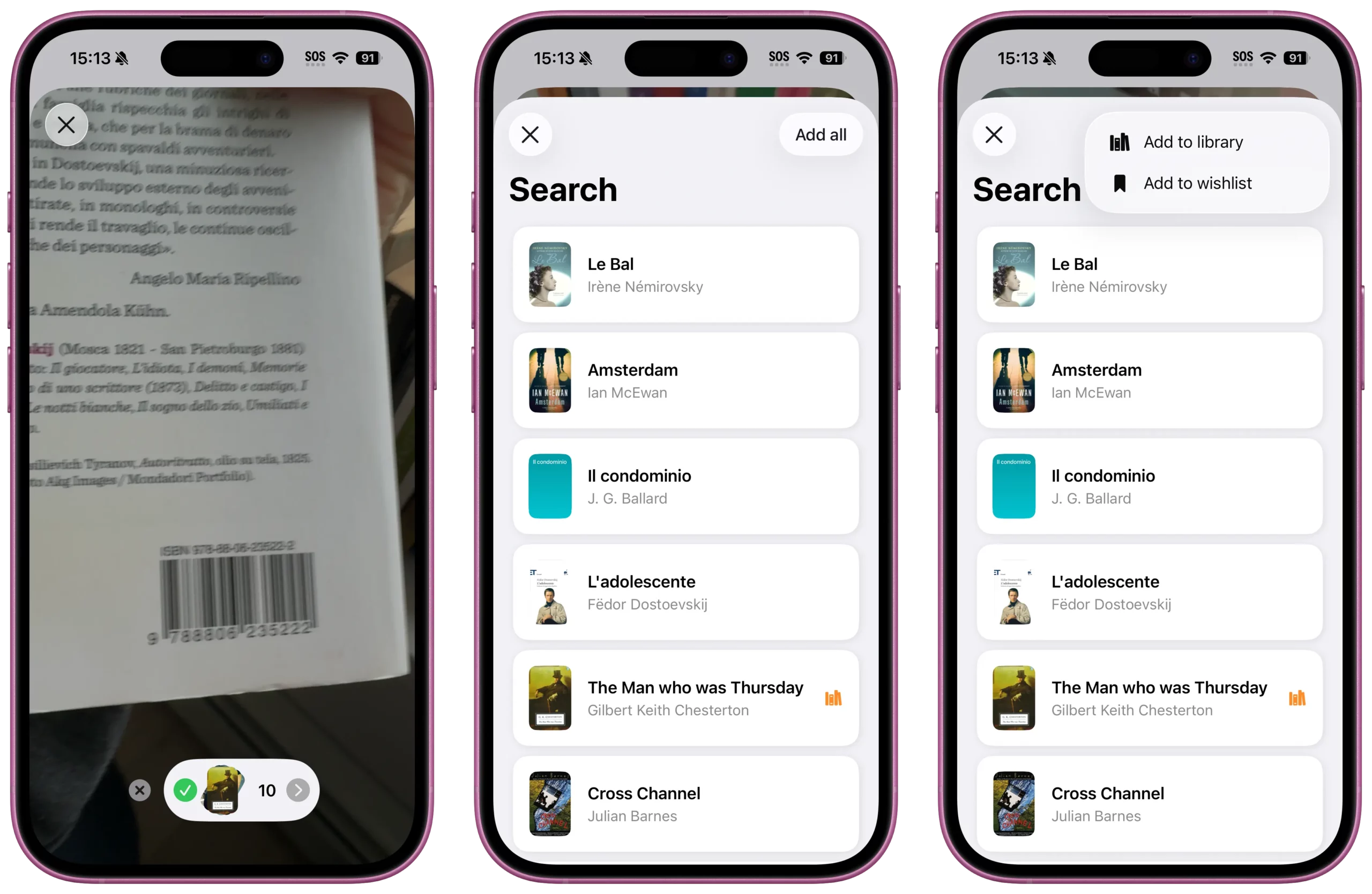
The first step in TBR management is consolidating every book you own or want into one reliable location: your Book Tracker app.
- Fast Entry: Use the ISBN Scanner to quickly catalog the books on your physical shelf. This is the fastest way to digitize your physical TBR pile.
- Import Existing Data: Easily import your existing TBR data from platforms like Goodreads, ensuring no title gets lost in the migration.
- The Status System: Immediately assign the “To Read” status to every new entry. Your comprehensive Book Catalog is now complete and ready for organization.
2. Prioritization Power: Transforming Chaos into a Plan
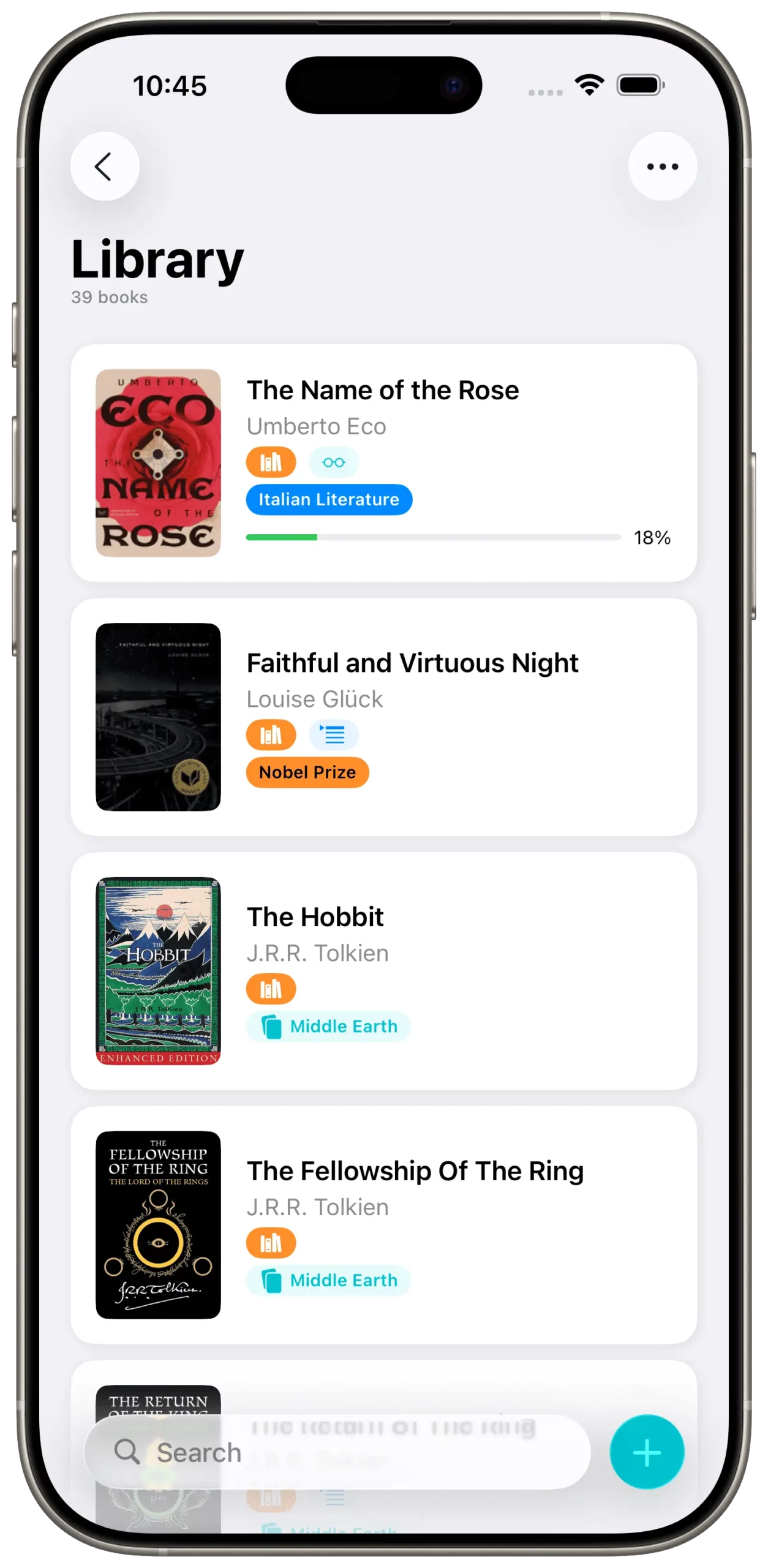
The purpose of a TBR list isn’t just to list books; it’s to help you decide what to read next. Book Tracker’s tagging and filtering capabilities transform your list into an active reading plan.
- Tags for Intention: Use Tags to add criteria that help you decide:
#HighPriority(Books you own and must read next)#SeasonalRead(e.g.,#WinterReadsor#HolidayGift)#ChallengeBook(For PopSugar or other challenges)
- Smart Lists for Focus: Create dynamic Smart Lists that automatically filter your entire TBR based on these tags. For example:
- Smart List Name:
Must-Read Priority Pile - Criteria:
Status is "To Read"ANDTags contain "HighPriority"
- Smart List Name:
By filtering your overwhelming list into small, focused sub-lists, you eliminate decision fatigue.
3. The Health of Your TBR List: Keeping it Fresh
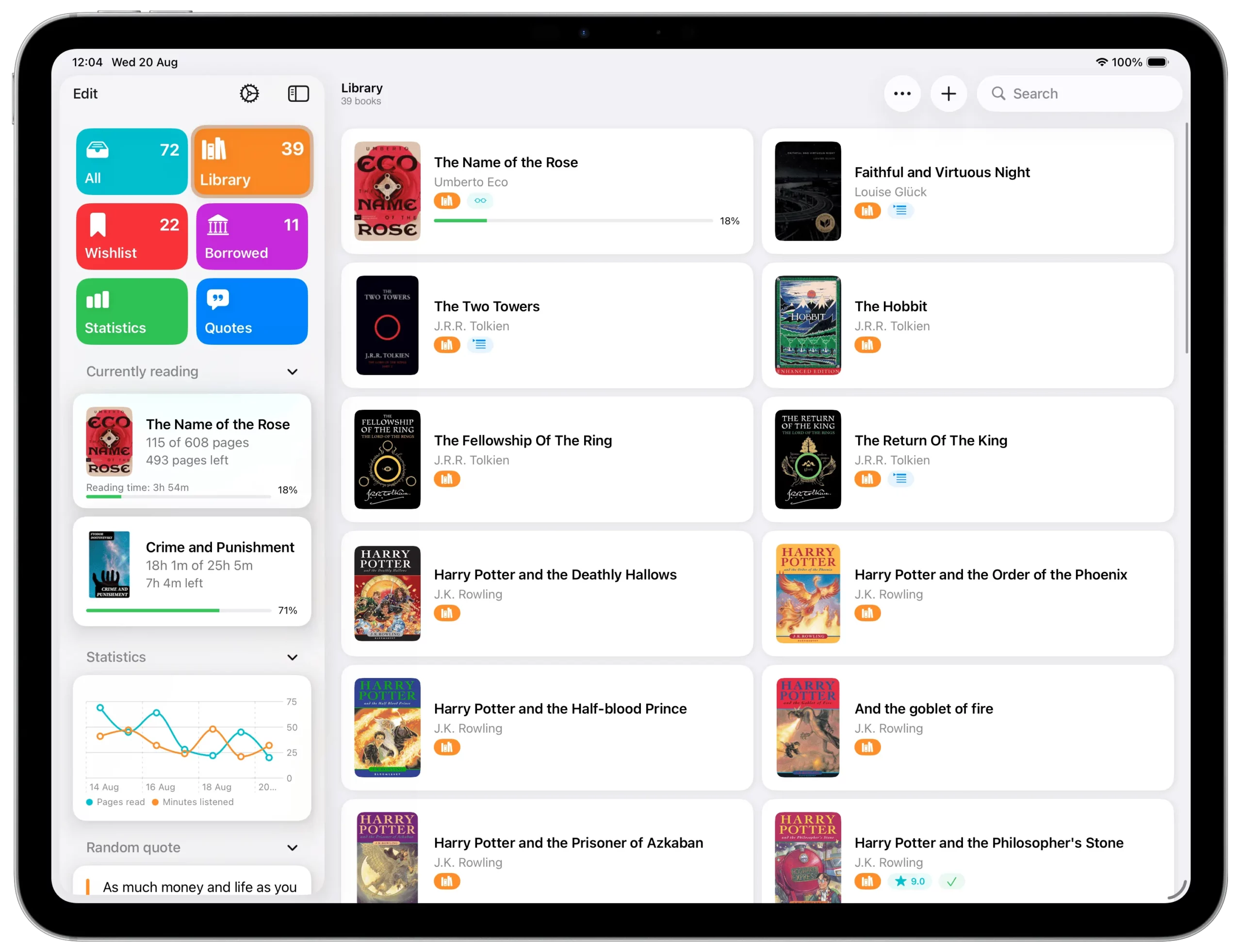
A healthy TBR list requires regular maintenance. Use Book Tracker to identify and address common TBR problems:
- Spotting Forgotten Titles: Filter your Book Catalog by Date Added. If a book has been on your TBR list for over two years, it might be time to move it to a
#RemovePiletag. - Analyzing Genre Gaps: Review the genres in your TBR. If you notice a heavy imbalance (e.g., 90% Fantasy), intentionally prioritize a different genre to keep your reading varied and fresh.
- Tracking Loaned Books: If you are waiting on a title, use the Loaned Out Tracker to manage the return dates of books you want to put back on your TBR.
4. Setting Realistic TBR Goals
A never-ending TBR can be intimidating. Instead of trying to read everything, transform the chaos into achievable milestones. Pair your TBR with the Reading Challenge in Book Tracker to track progress concretely.
Examples of realistic micro-goals you can set inside Book Tracker:
- 2 TBR books per month — small enough to never miss, big enough to keep the pile shrinking.
- Finish a trilogy before the end of the year — use Book Tracker’s Series management to know exactly which book comes next.
- Alternate fiction and non-fiction — tag each TBR entry by genre and let Smart Lists balance your reading rhythm.
Linking your TBR list to your annual Reading Challenge in Book Tracker means every book you finish from the pile counts twice: once as a TBR victory and once as a step toward your yearly goal.
5. Keeping It Fun: The Random Book Picker
Tracking your TBR shouldn’t feel like homework. Two Book Tracker features turn the maintenance into a small daily pleasure:
- The Random Book Picker — when you can’t decide what to read next, let Book Tracker pull a title from your TBR at random. It removes decision fatigue and often surfaces forgotten favorites.
- Home Screen widgets — add a TBR widget to your iPhone or iPad Home Screen and see your next reads at a glance, even without opening the app. The visual reminder keeps the pile present without being stressful.
Conclusion: From To-Be-Read to To-Be-Done
A well-managed TBR list is a tool for reading success. By using Book Tracker for cataloging, prioritization with tags, and creating focused Smart Lists, you stop feeling overwhelmed by your books and start feeling excited about your next read.
Ready to finally conquer your TBR pile? Download Book Tracker and start organizing today!
Related guides:
- How to Catalog Your Home Library: A Step-by-Step Guide — the cataloging methodology behind a great TBR.
- How to Organize Your Library with Tags in Book Tracker — deep dive on the tagging system used in this guide.
- 5 Ways to Get Out of a Reading Slump Using Your TBR List — what to do when even the perfect TBR isn’t enough.
- Book Tracker Tutorial — visual walkthrough of the TBR features.
- Migrating to Book Tracker — bring your existing TBR from Goodreads, StoryGraph, or any other app.
Start tracking your library today.