
It is December 26th (Boxing Day). The wrapping paper has been cleared away, the leftovers are in the fridge, and you are sitting in front of a beautiful sight: The Holiday Book Haul.
Whether you received 5, 10, or 20 new books, you feel that itch. You want them in your digital library now. You want to see your total book count jump up.
But the thought of manually searching for twenty different titles, clicking “Add,” and selecting the cover for each one feels like a chore. It kills the excitement.
Stop typing. Book Tracker has a hidden superpower designed exactly for this moment: Multi-Scan Mode.
Here is how to digitize your entire Christmas haul in less time than it takes to brew a cup of tea.
The “Factory Line” Method
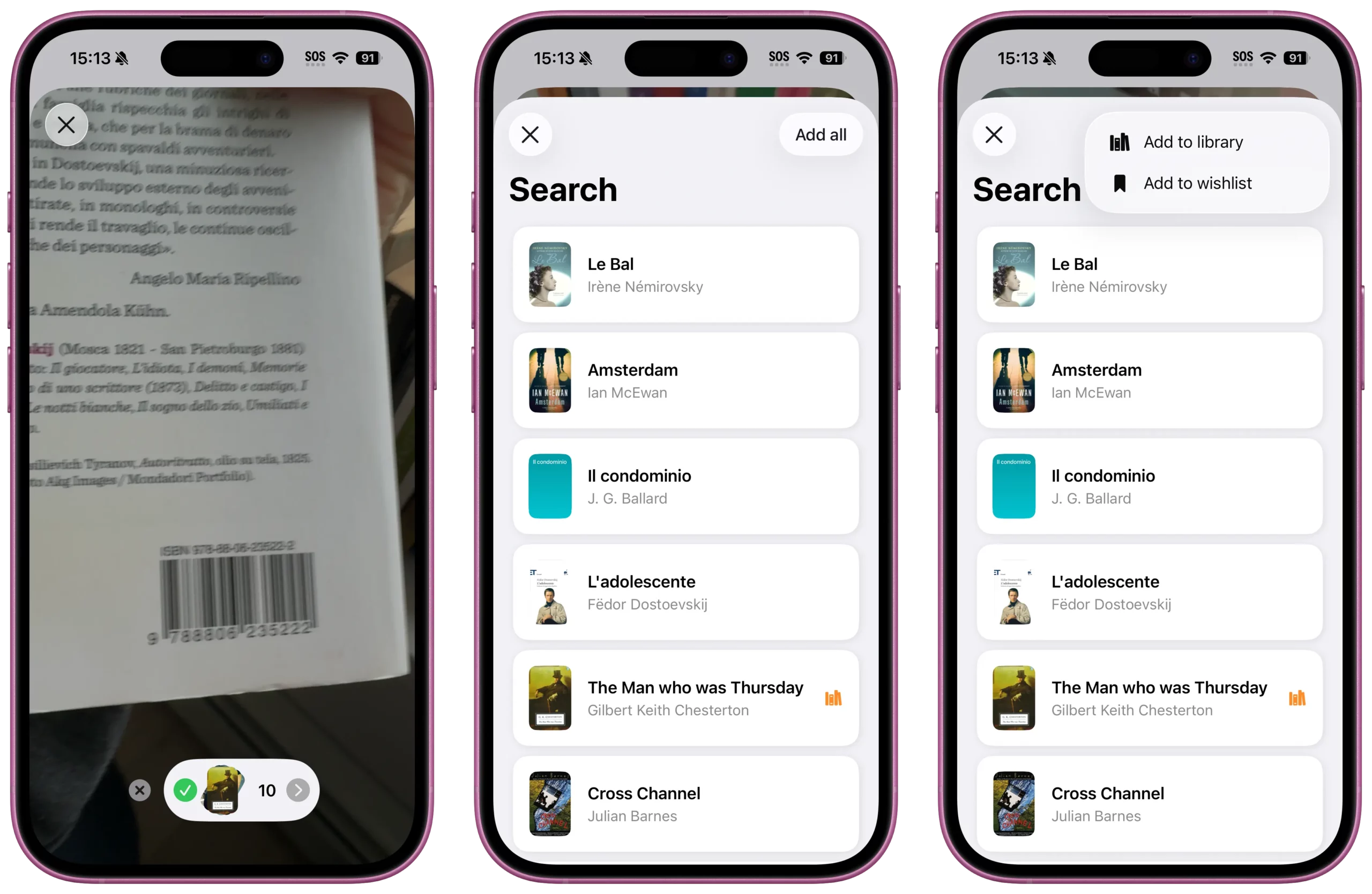
Don’t pick up one book, scan it, add it, and then put it down. That is the slow way. Instead, use the Batch Scanning feature to process everything at once.
- The Setup: Stack your new books on a table, face down, so the ISBN barcodes on the back covers are visible. If you have a lot, make a few stacks.
- The Rapid Fire: Open Book Tracker and tap the Scan barcode button. Point your camera at the first barcode. Beep. Do not close the scanner. Immediately move the phone to the next book. Beep. Then the next. Beep.
Book Tracker is designed to hold multiple books in memory. You can scan 10, 20, or even 50 books in a single session without ever leaving the camera screen. It feels surprisingly satisfying—like working a checkout counter, but for your own personal collection.
- The Review (The “Shopping Cart”): Once you have beeped through your entire stack, tap the button to view your scanned list. You will see all your new books lined up in a temporary list. This is your chance to catch any mistakes (though with barcodes, errors are rare).
- The One-Tap Import: Here is the magic moment. You don’t need to add them one by one. Tap “Add All to Library”(or “Add to Wishlist” if you are scanning books at a bookstore for later). In one second, your library grows. All the covers, authors, and page counts are instantly populated.
Why This Matters
The biggest obstacle to keeping a reading journal is friction. If adding books feels like work, you won’t do it. You’ll let the pile sit there for weeks, and your digital stats will fall out of sync with reality.
By using the Multi-Scan feature, you remove the friction. You turn the chore of data entry into a fun, fast ritual to wrap up your holiday season.
So, go ahead. Grab that stack of new books. Ready, set, scan.
Level Up Your Reading Experience with Book Tracker!
Discover the joy of reading like never before. Organize your library, track your progress, and save your favorite quotes. Elevate your reading experience today!