It is that time of year again. While your friends are sharing their “Top Artist” and “Minutes Listened,” you deserve to celebrate your biggest accomplishment: the journeys you took in 2025.
Music is just background noise. The real soundtrack of our year was the stories we lived in, the authors we discovered, and the hundreds of hours we dedicated to reading.
Forget complex manual screenshots. Book Tracker automatically compiles your entire year into a stunning, shareable report: The Year in Review.
Here is how to access your official 2025 Reading Wrapped and share your stats with the world.
Step 1: Access Your 2025 Year in Review
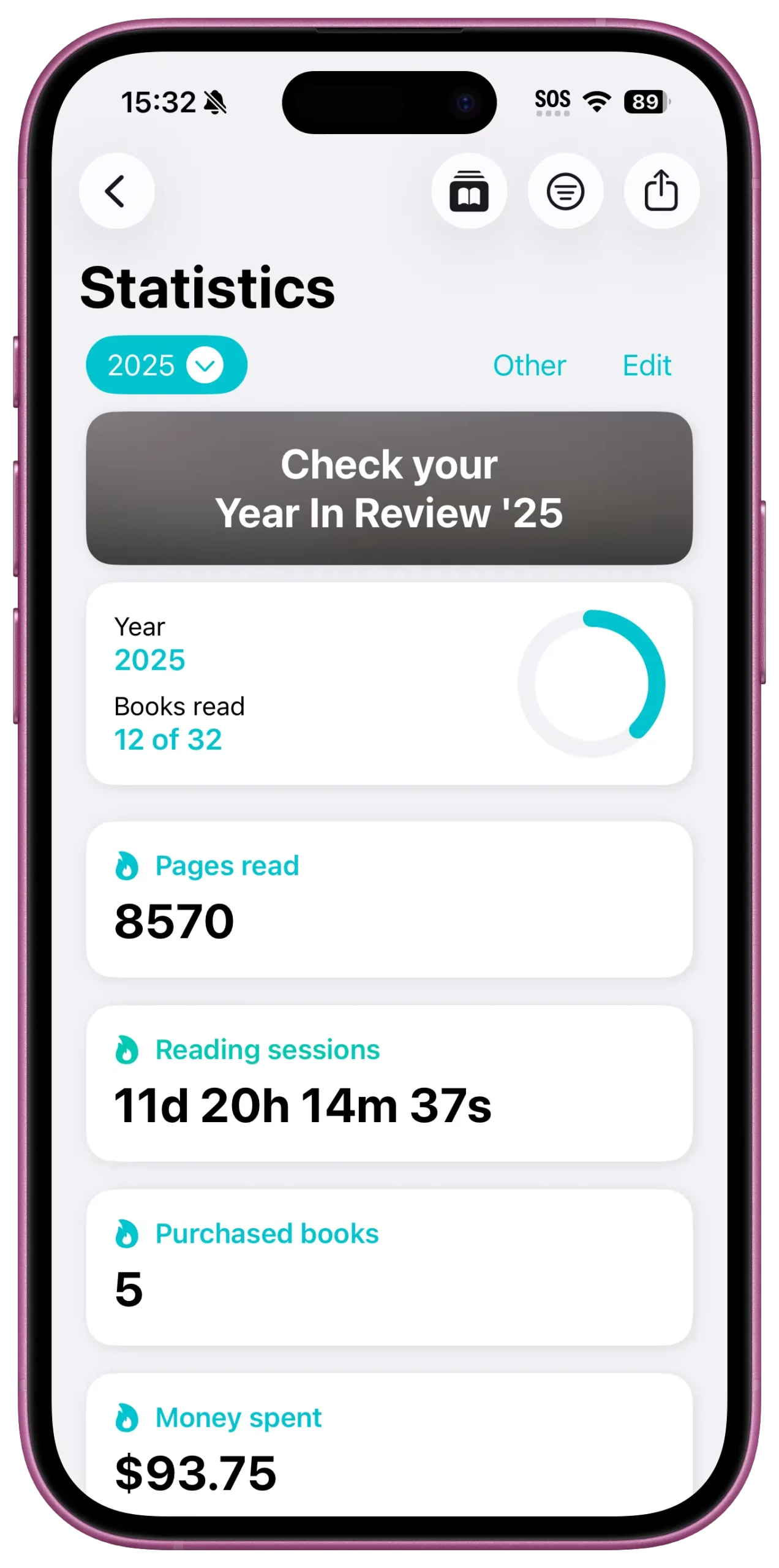
You don’t need to manually count pages or generate charts. Book Tracker compiles all the data from your logged sessions, finished books, and ratings into a clean, annual summary.
How to find it:
- Open Book Tracker.
- Navigate to the Statistics tab.
- Look for the Banner: Starting in December, a prominent banner will appear at the top, prompting you to “Check Your Year in Review ’25”
- Always Available: If you miss the banner, or want to check your 2025 progress in March 2026, simply tap the dedicated Year in Review button located in the navigation bar of the Stats section.
This official report is designed to be aesthetic and shareable, perfect for your social media Stories.
Step 2: The 5 Insights You Need to Share
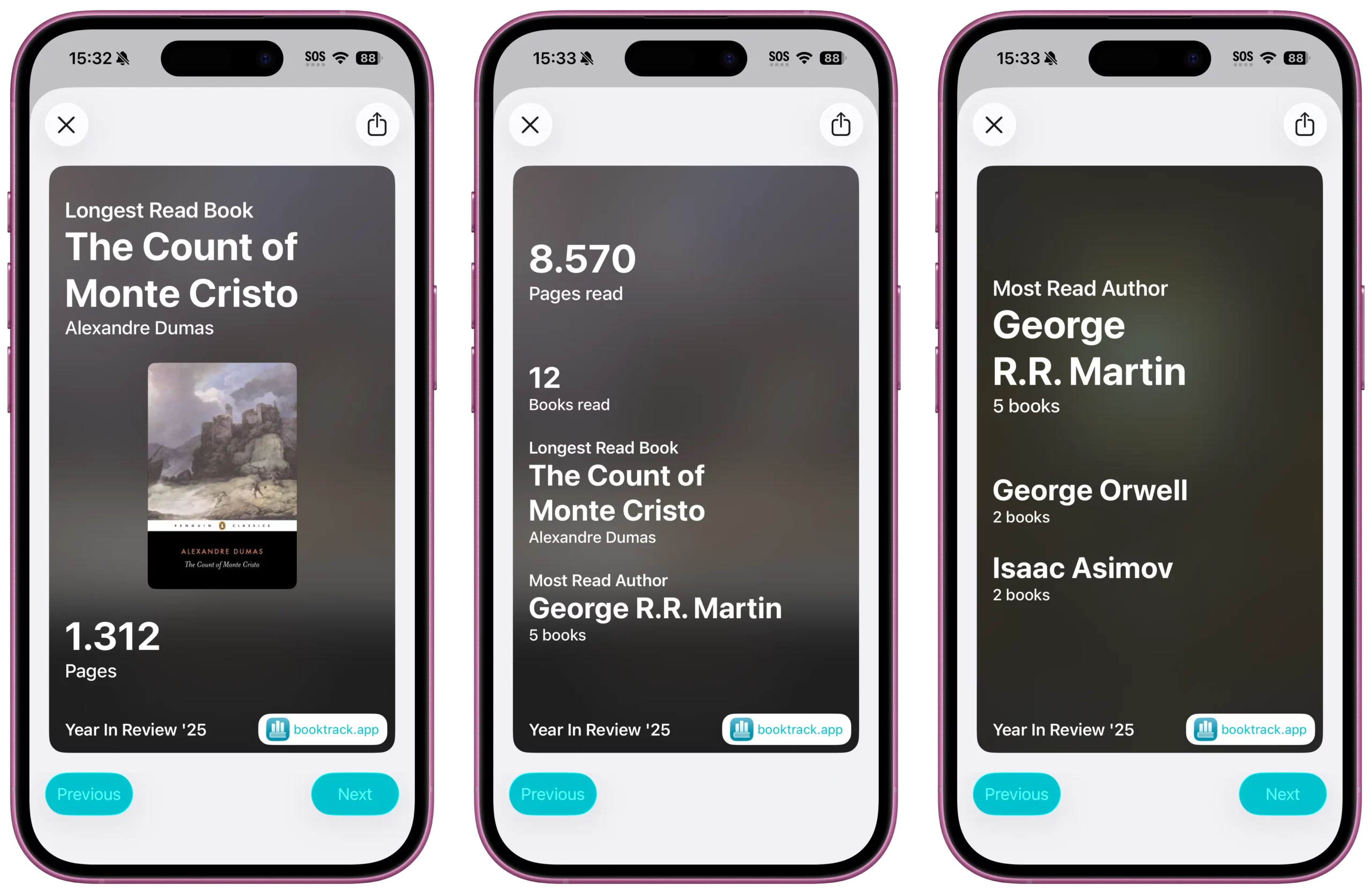
Your Year in Review is a slide deck of your reading personality. Here are the five key insights you must screenshot and share:
1. The “Big Numbers” (Pages Read & Books Read)
This is your badge of honor. Your report will prominently display your Total Pages Read and Total Books Read.
- Why share it: This visualizes the sheer effort and time you invested in your passion throughout 2025.
2. The “Vibe Check” (Most Read Categories)
Your report will instantly identify your Most Read Categories (Genres).
- Why share it: This is your “Audio Aura.” Did you think you read mostly classics, only to find out “Young Adult Fantasy” dominated your year? This provides a fun, often surprising, look into your reading habits.
3. The “Dedication Award” (Longest Read Book)
Every reader has that one book that took them weeks—or even months—to complete. Your report highlights your Longest Read Book of the year.
- Why share it: It’s a moment to celebrate perseverance. Finishing a massive book is an accomplishment that deserves recognition.
4. The “Champion” (Top Rated Book)
Out of all the books you read, there was one perfect 5-star read. Your report shows your Top Rated Book of 2025.
- Why share it: This is your main recommendation for everyone planning their 2026 list. It’s the book you’ll remember forever.
5. The “Obsession” (Most Read Authors)
Which author did you spend the most time with? The Year in Review spotlights your Most Read Authors, proving your dedication to your favorite writers.
- Why share it: It’s a great way to thank the author who kept you company all year long.
Step 3: Make it Viral
Your Year in Review is already beautiful, but here is how to make it pop on social media:
- Go to the Year in Review and cycle through the slides.
- Save your favorite insights (especially the “Top Rated Book” and “Categories”).
- Upload to Stories: Add a simple question sticker like “What was your Top Rated Book?” or “Guess my total pages!” to encourage engagement.
- Add Music: Match the mood of your Most Read Category with an appropriate song.
Summary
Your reading life deserves to be celebrated just as much as your music taste. Don’t let the year end without acknowledging the literary journeys you took.
Open Book Tracker, check the banner, and share your 2025 Year in Books today.
Level Up Your Reading Experience with Book Tracker!
Discover the joy of reading like never before. Organize your library, track your progress, and save your favorite quotes. Elevate your reading experience today!