
For years, Delicious Library and Bookpedia were the gold standards for collecting on the Mac. They were beautiful, skeuomorphic, and powerful. They felt like owning a real library.
But technology moves on. Delicious Library 3 is no longer maintained. Bookpedia feels increasingly outdated on modern macOS versions. If you have updated to the latest macOS, you might have noticed the crashes, the sync issues, or the simple fact that the apps look like they belong in 2012.
You are sitting on a database of hundreds (or thousands) of books, and you are worried. Where do I go now? You don’t want a web-based tool. You don’t want a clumsy cross-platform app. You want a native, premium Mac experience.
Here is why Book Tracker is the spiritual successor you have been looking for, and how to move your collection over.
1. Native DNA: Built for Apple Users
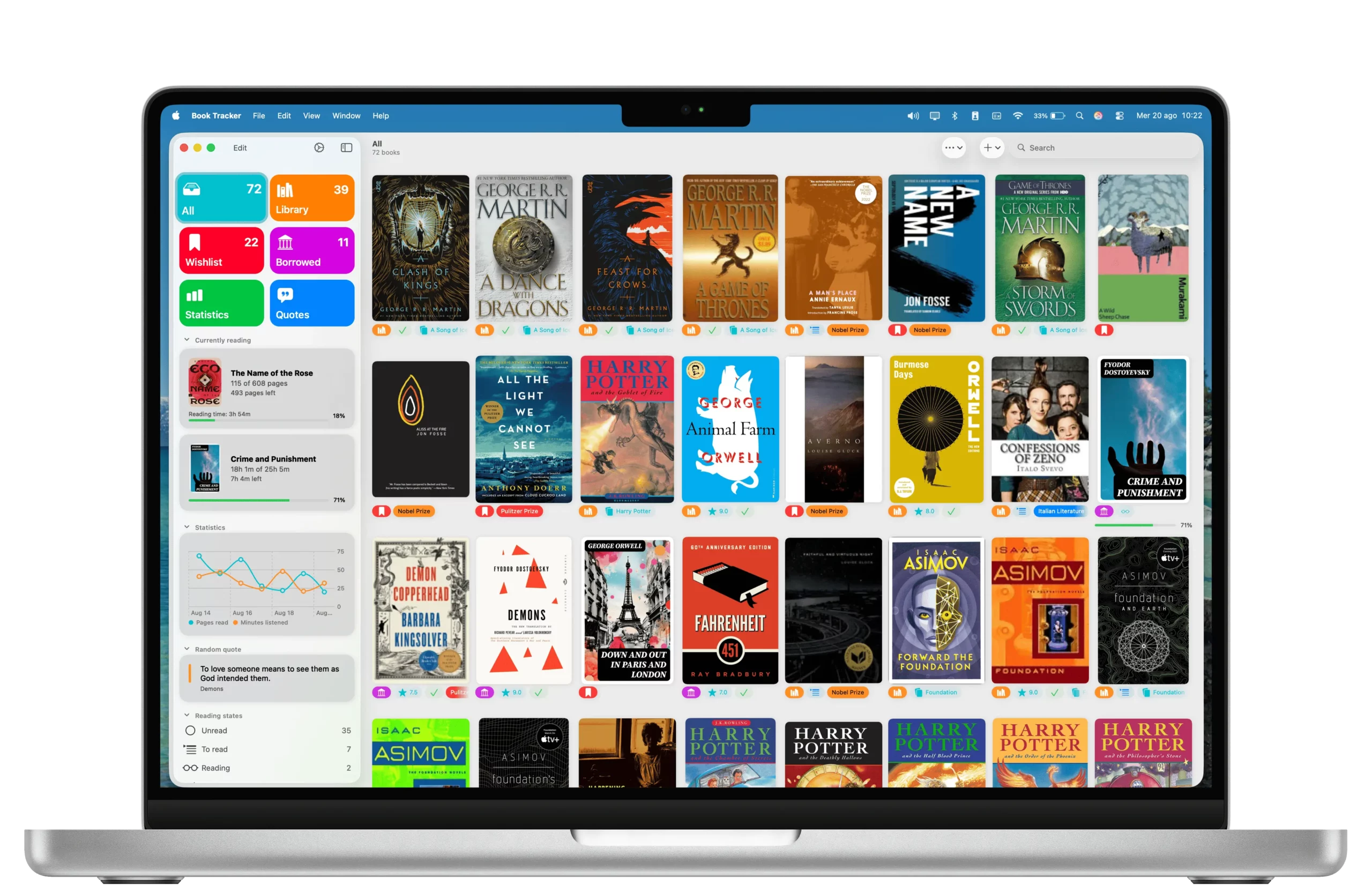
The reason you loved Delicious Library was likely because it felt “Apple-like.” Book Tracker is built with the same philosophy. It isn’t a website wrapped in an app. It is a native app built for iOS and macOS.
- Widgets: Track reading from your desktop.
- Shortcuts: Automate your logging.
- Design: It looks stunning on Retina displays, with a modern grid view that puts your cover art front and center.
2. The Scanner is Back (and Better)
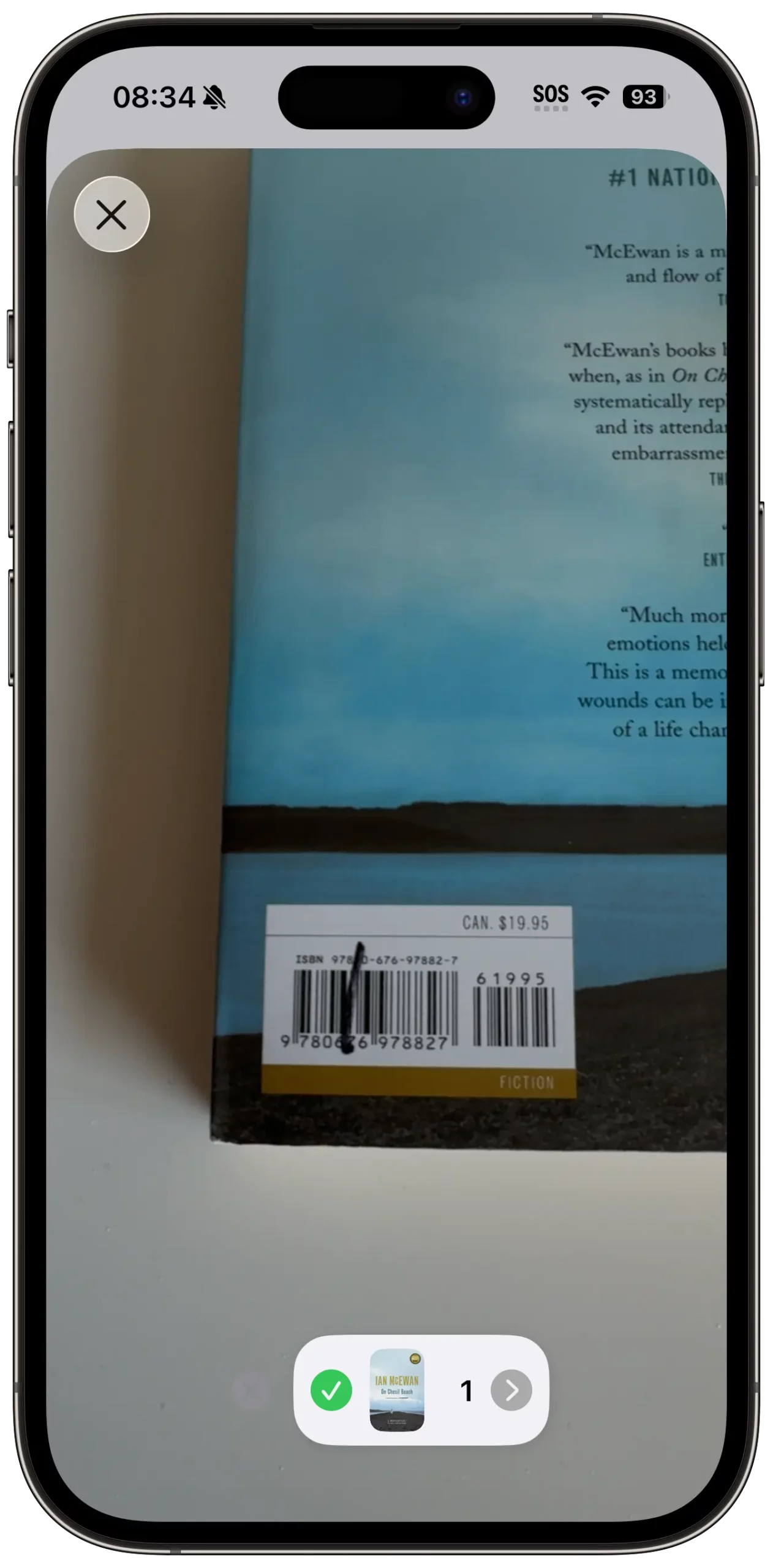
One of the coolest features of the old desktop apps was using the iSight camera to scan barcodes. Book Tracker brings this back with Bulk Scanning. You can use your iPhone as a high-speed scanner that instantly syncs to your Mac via iCloud. Or, use your Mac’s camera directly. The days of manual entry are gone.
3. More Than Just “Collecting”
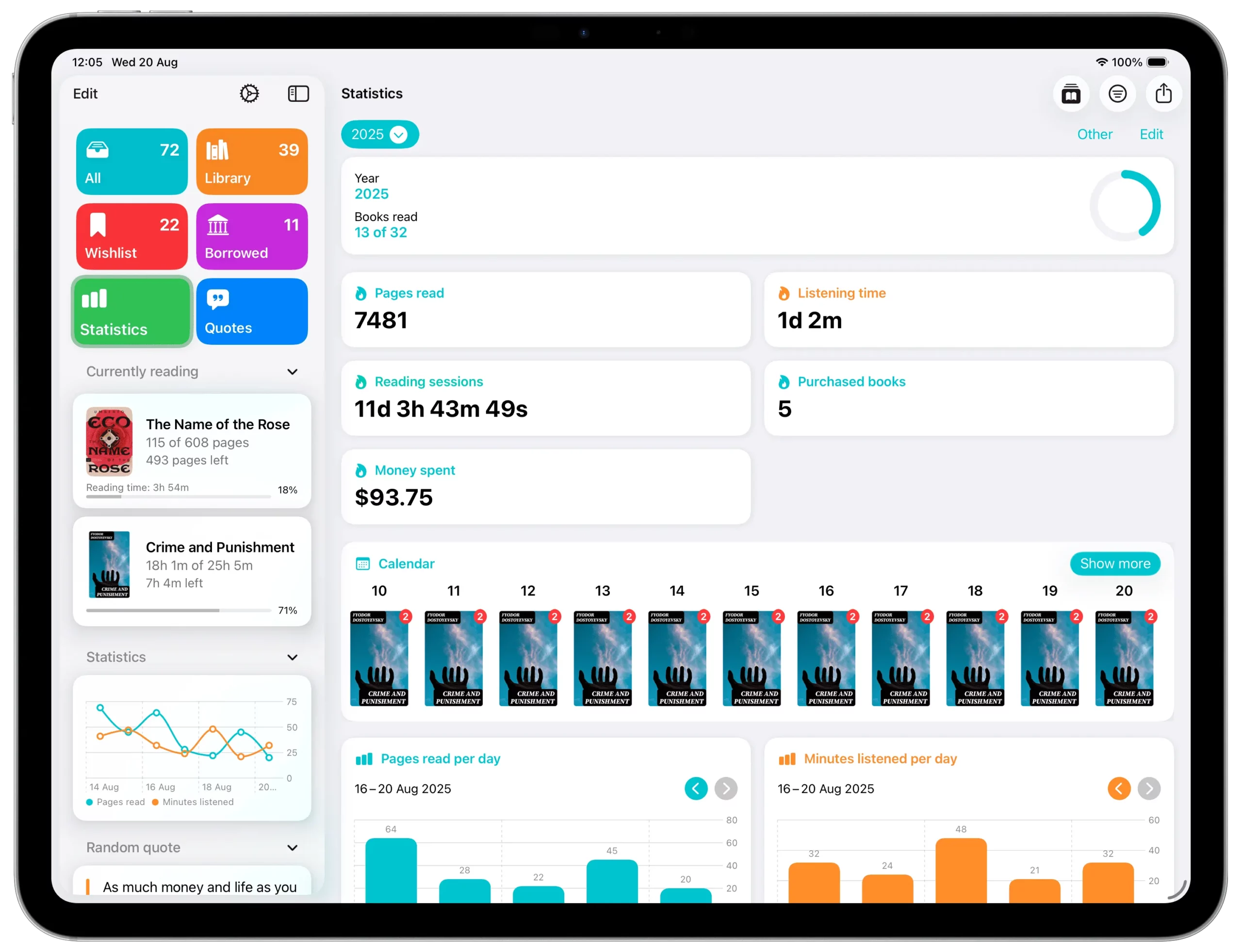
Delicious Library was great for inventory, but it wasn’t great for reading. Book Tracker bridges the gap. It manages your inventory (Lent books, Wishlist, Purchase Price) but also tracks your Reading Life:
- Track daily pages read.
- Visualize reading stats over time.
- Manage your “To Be Read” pile effectively.
It’s not just a warehouse for your books; it’s a tool to help you read them.
4. The Great Migration: How to Import Your Data
This is the big question. You have thousands of items in Delicious Library or Bookpedia. You cannot start from scratch.
The Solution: Book Tracker supports CSV Import.
- Export: Open Delicious Library or Bookpedia and export your library as a CSV file.
- Import: Open Book Tracker on your Mac, select “Import CSV,” and map the columns (Title, Author, ISBN).
- Done: Your legacy collection is now safe in a modern, supported app that syncs across all your devices.
You can found a detailed tutorial here: Migrating from Delicious Library 3
Beyond Books: Replacing the Full Delicious Library Experience
Delicious Library was unique because it allowed you to manage your entire household inventory, from movies to video games, in one place. If you’re a power user looking to migrate your whole media collection, you don’t have to settle for a generic database.
We have developed a suite of dedicated, native apps that replicate the premium Mac experience for every one of your hobbies. While Book Tracker handles your reading list, its “sibling” apps provide the same high-quality tools for the rest of your library:
- Movie Tracker: The spiritual successor for your cinema collection. Catalog Blu-rays, DVDs, and digital watchlists with beautiful cover art and seamless iCloud sync.
- Game Tracker: The ultimate hub for gamers. Replace the old Delicious Library shelves with a modern dashboard to manage your backlog, track “time to beat” stats, and organize games across all platforms.
- Music Tracker: A dedicated home for your vinyl and CD collections. Keep your music library organized and discoverable on your Mac, iPhone, and iPad.
By moving your data to this specialized ecosystem, you aren’t just replacing an old app, you are upgrading to a faster, more secure, and future-proof way to celebrate your collections in 2026 and beyond.
Summary
It is hard to say goodbye to software we loved. But holding onto abandonware puts your data at risk. Book Tracker respects the legacy of the classic Mac collectors while bringing powerful new features for the modern reader.
Keep your collection safe. Upgrade your library today.
Level Up Your Reading Experience with Book Tracker!
Discover the joy of reading like never before. Organize your library, track your progress, and save your favorite quotes. Elevate your reading experience today!