
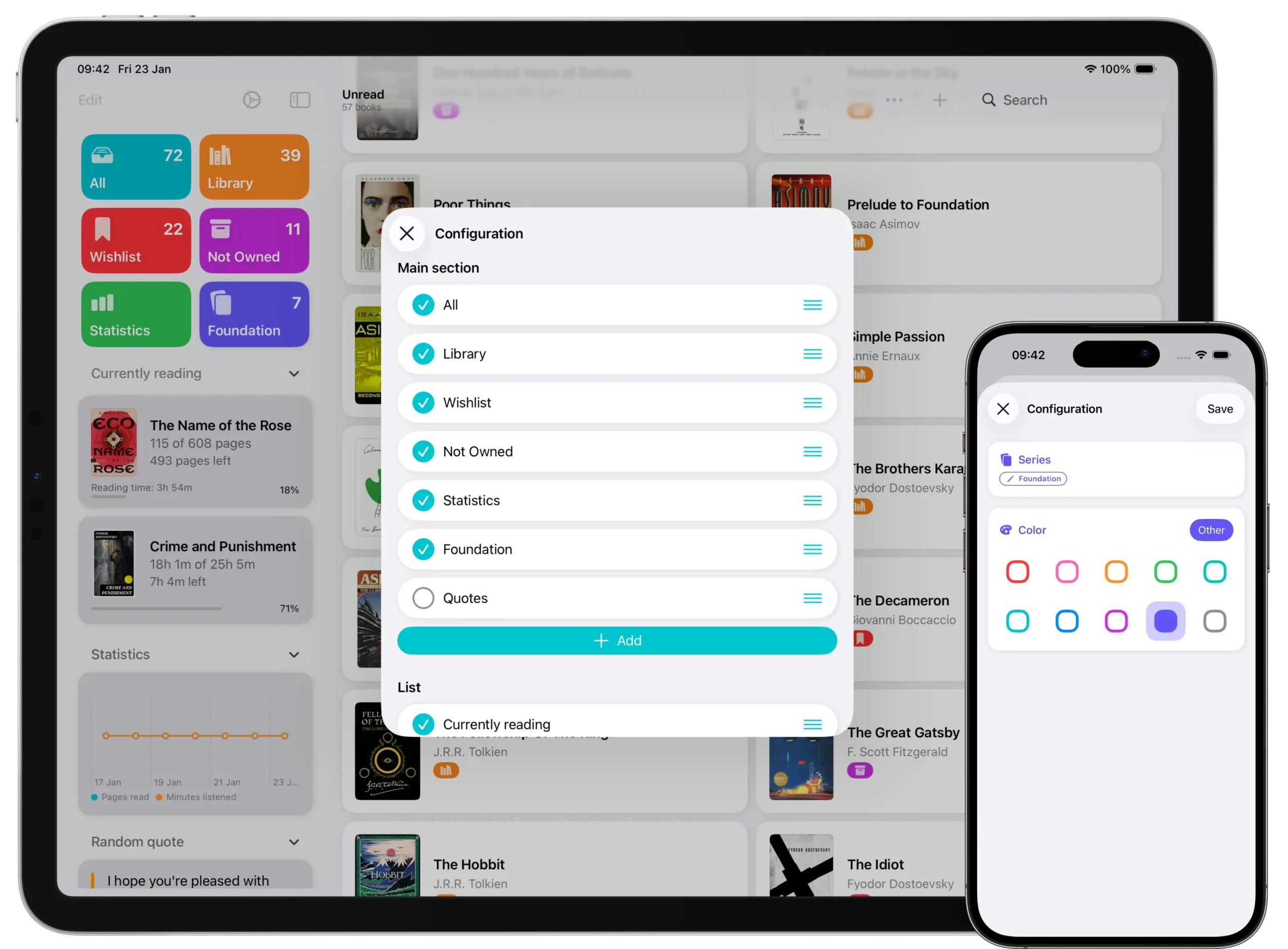
Book Tracker lets you deeply customize the Home on iPhone and the Sidebar on iPad and Mac, so you can organize the app exactly the way you prefer and access what matters most to you in just one tap.
This tutorial explains how customization works and what you can personalize.
How to enter Edit mode
To start customizing:
- Open Book Tracker.
- Look at the top left corner of the screen.
- Tap Edit.
This opens the customization mode, where you can reorganize and personalize the Home or Sidebar.
Reordering sections
In edit mode, you can change the order of all sections.
• Drag sections up or down to reorder them
• Arrange sections based on how often you use them
Changes are applied immediately, so you can quickly find a layout that feels right.
Showing or hiding sections
Not all sections need to be visible all the time.
In edit mode, you can:
• Hide sections you do not use
• Show them again at any time
This helps keep the interface clean and focused on what you actually need.
Default sections
Book Tracker includes several default sections, such as:
• All
• Library
• Wishlist
• Not Owned
• Statistics
• Quotes
These sections can be reordered or hidden, just like any other section.
Customizing the Main Cards at the top
One of the most powerful features is the ability to customize the main cards shown at the top of the Home or Sidebar. By default, these cards show standard sections, but you are not limited to them.
You can add any type of list as a main card, including:
• A Smart List you created earlier
• A specific Reading Status, for example books you are currently reading
• A specific Series
• Any other list available in the app
This allows you to create quick access shortcuts to exactly what you care about.
Summary
Customizing the Home and Sidebar helps you make Book Tracker truly yours.
You can:
• Reorder sections
• Hide or show what you want
• Add any list as a main card at the top
• Create fast access to reading statuses, series, and smart lists
This flexibility makes Book Tracker suitable for both simple libraries and very complex collections.