There is a specific kind of joy that comes from finishing a book. But for data-loving readers, there is a second, equally satisfying joy: seeing the numbers go up.
Knowing exactly how many pages you’ve read this year, seeing a colorful pie chart of your most-read genres, or tracking your busiest reading months is incredibly motivating. It turns a solitary hobby into a measurable achievement.
For a long time, if you wanted deep insights into your reading life, you had to build a complex Excel spreadsheet or a Notion template. You had to manually input page counts, calculate percentages, and fix broken formulas.
But you want to spend your time reading, not data entering. Here is how to unlock deep reading insights using Book Tracker: no formulas required.
Why Track Reading Stats? (It’s More Than Just Vanity)
Before we look at how, let’s look at why. Tracking stats isn’t just about bragging rights. It helps you understand your own brain:
- Discover Your Patterns: Do you read more in the summer or winter? Do you slow down when reading non-fiction?
- Diversify Your Reading: A genre chart doesn’t lie. You might think you read a balanced mix, but the stats might show you’ve read 90% Thrillers this year.
- Motivation: When you are 50 pages away from hitting a yearly milestone, you are much more likely to pick up a book instead of scrolling social media.
The 3 Key Metrics You Should Be Tracking
Forget complex spreadsheets. Book Tracker automatically generates these stats for you as you update your library. Here are the most impactful ones to look at:
1. Pages Read vs. Books Read
“I read 50 books this year” is a great stat, but it can be misleading. Reading 50 graphic novels is very different from reading 50 dense history textbooks. The Better Metric: Total Pages Read. Book Tracker pulls the page count from the book’s metadata automatically. By focusing on pages, you stop avoiding long books just because they take longer to finish. A 900-page fantasy epic counts for as much progress as three short novels.
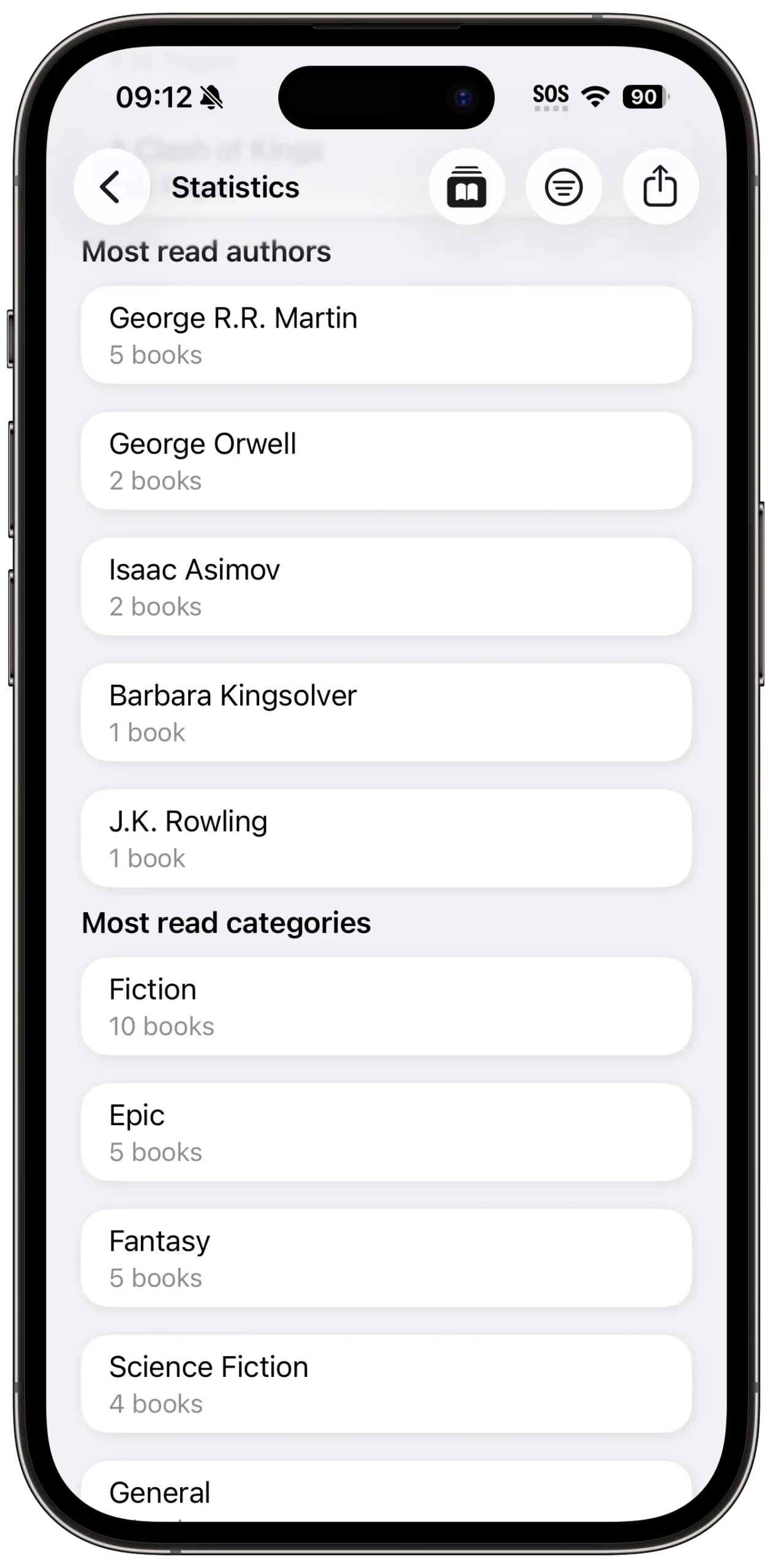
2. The Most Read Genre
This is usually the visual highlight for most users. By assigning genres to your books in Book Tracker, the app builds a visual breakdown of your literary diet.
- How to use this: Check this list quarterly. If you see that 80% of your reading is “Self-Help,” but you’re feeling burnt out, use that data to pivot and pick up a “Science Fiction” novel next to cleanse your palate.
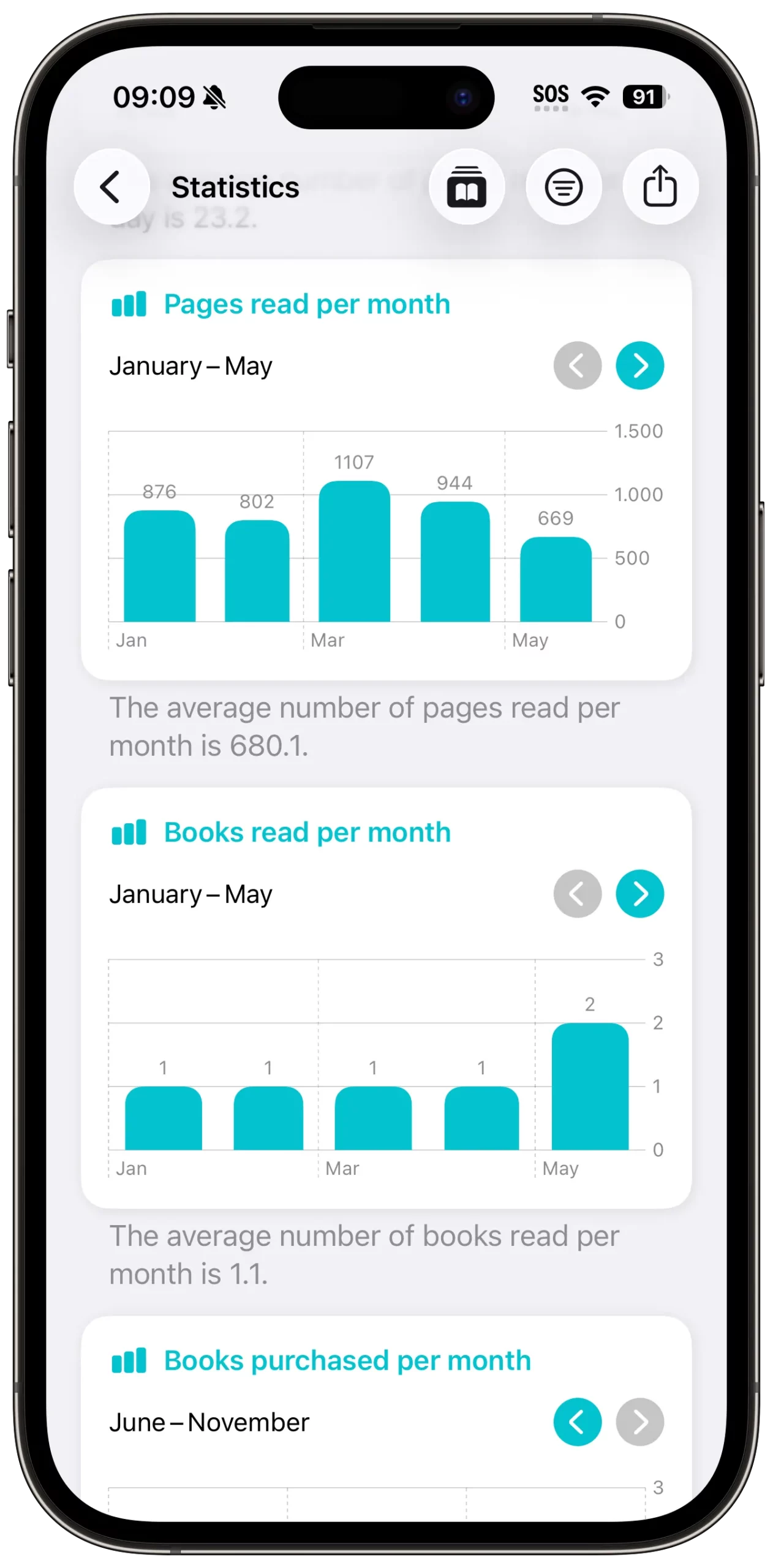
3. Monthly Reading Activity
Are you a consistent reader, or a binge reader? The “Books Finished by Month” bar chart reveals your consistency.
- The Slump Detector: If you see a massive dip in activity in October, you can look back and ask why. Was work busy? Did you pick a boring book that stalled your progress? This insight helps you plan better for the future.
How to Set Up Your “Year in Books” (Automated)
If you were using a spreadsheet, setting up a yearly goal involves creating new tabs and formulas every January. With Book Tracker, it takes seconds.
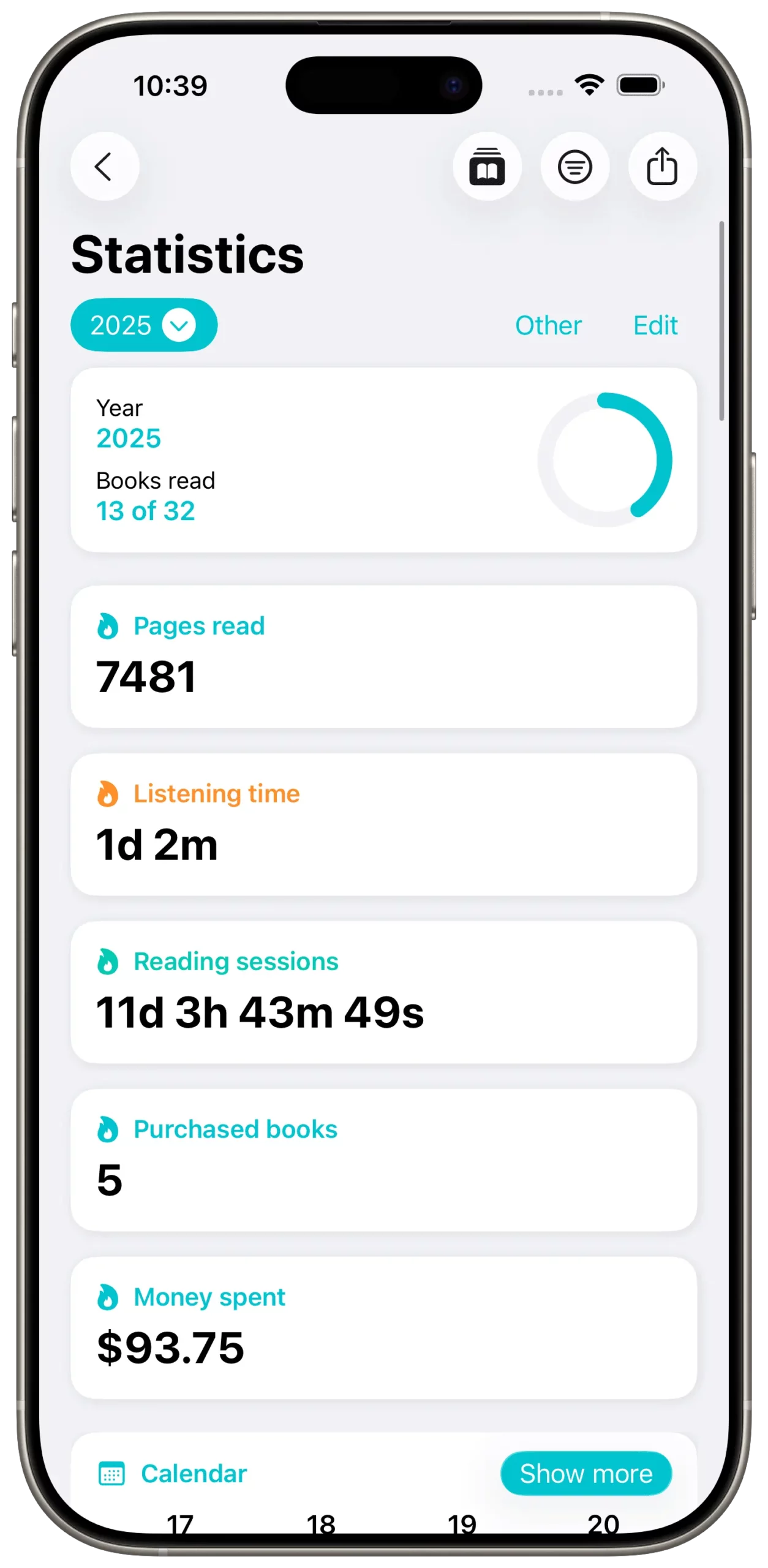
- Set a Yearly Challenge: In the app, simply input your target number (e.g., “30 Books in 2025”).
- Update Progress Automatically: Every time you mark a book as “Finished,” the progress bar updates. You get a percentage indicator (e.g., “You are 45% of the way to your goal”) which is a fantastic psychological nudge to keep going.
Conclusion: Let the App Do the Math
Your reading life is a story in itself. The books you choose, the speed at which you read them, and the genres you gravitate toward paint a picture of who you are at this moment in time.
Don’t let that data get lost, and don’t waste hours wrestling with spreadsheet cells. Download Book Tracker to get your personal reading dashboard instantly. It’s time to see your reading life in full color.
Level Up Your Reading Experience with Book Tracker!
Discover the joy of reading like never before. Organize your library, track your progress, and save your favorite quotes. Elevate your reading experience today!